
RevenueCat Event Streaming
Use the RevenueCat webhook integration to stream your subscription lifecycle events into Reteno and use them in campaigns, workflows, and analytics.
Once these events are in Reteno, you can:
-
Trigger onboarding workflows when a subscription starts
-
Launch win-back and save workflows when a subscription is canceled or finished
-
Build segments based on subscription status and renewal behavior
-
Track subscription KPIs and revenue by lifecycle stage
Prerequisites
Before you start, make sure you have:
-
A RevenueCat project with permissions to manage Webhooks
-
A Reteno full-access API key (generated in your Reteno admin panel)
Step 1. Get Your Reteno API Key
-
Sign in to your Reteno account.
-
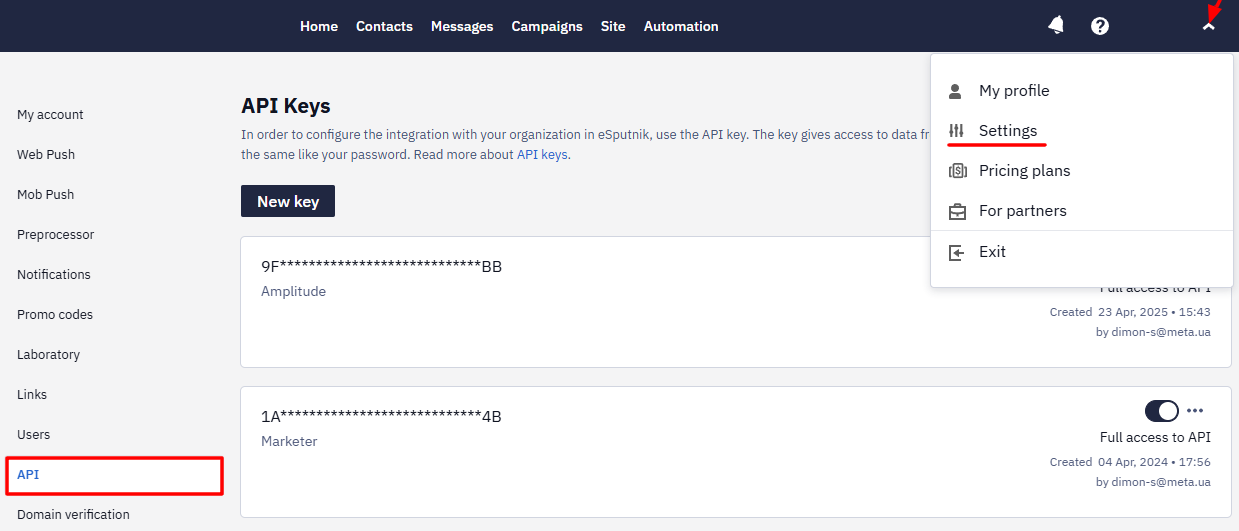
Go to your account → Settings → API.
-
Create a full-access API key and copy it to your clipboard.
- Keep this token secure and do not share it publicly.
Step 2. Create a Webhook in RevenueCat
-
Sign in to your RevenueCat dashboard.
-
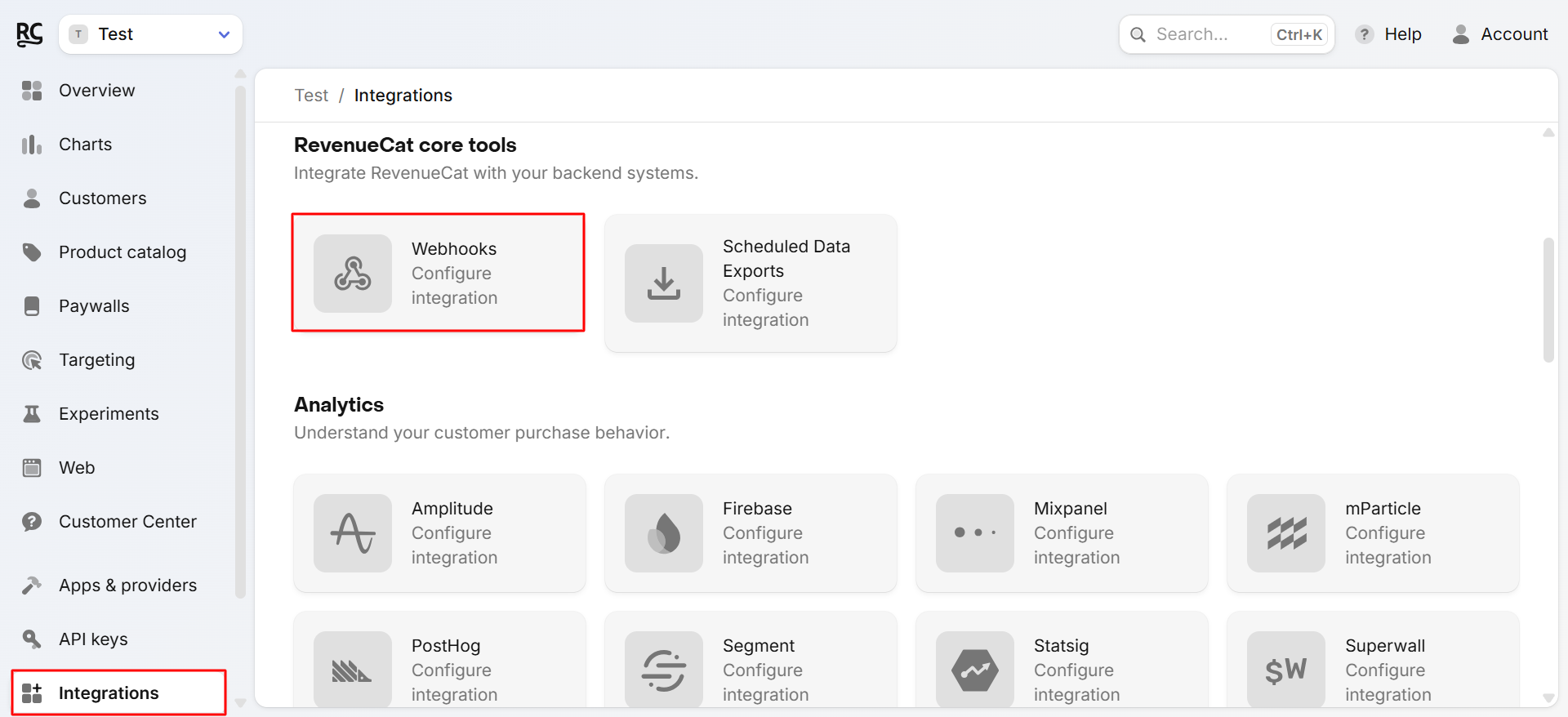
Open Integrations → Webhooks.
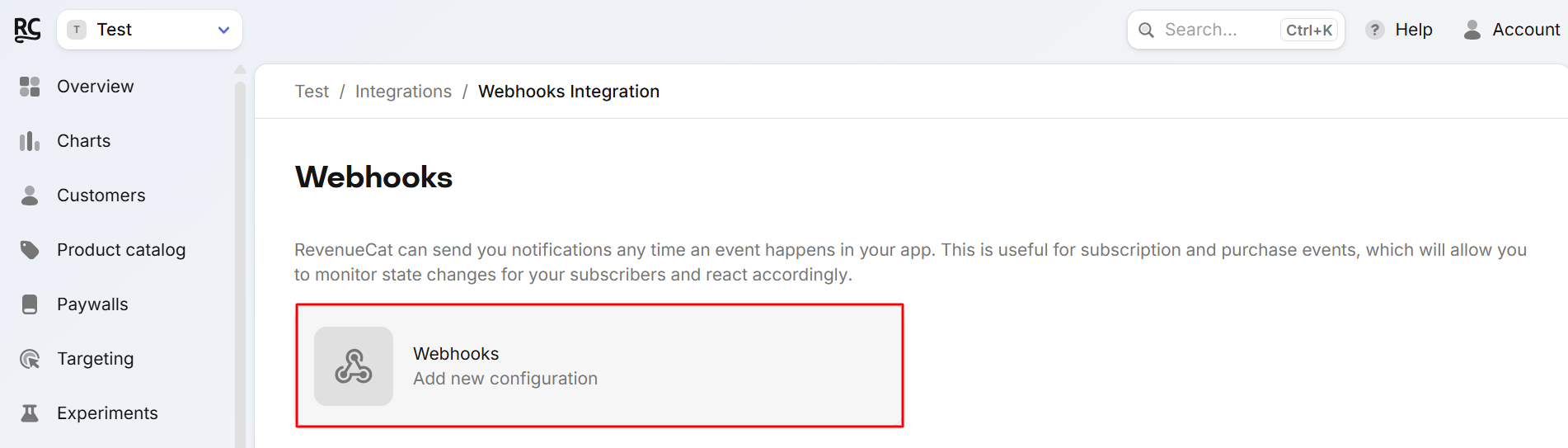
- Add new configuration.
-
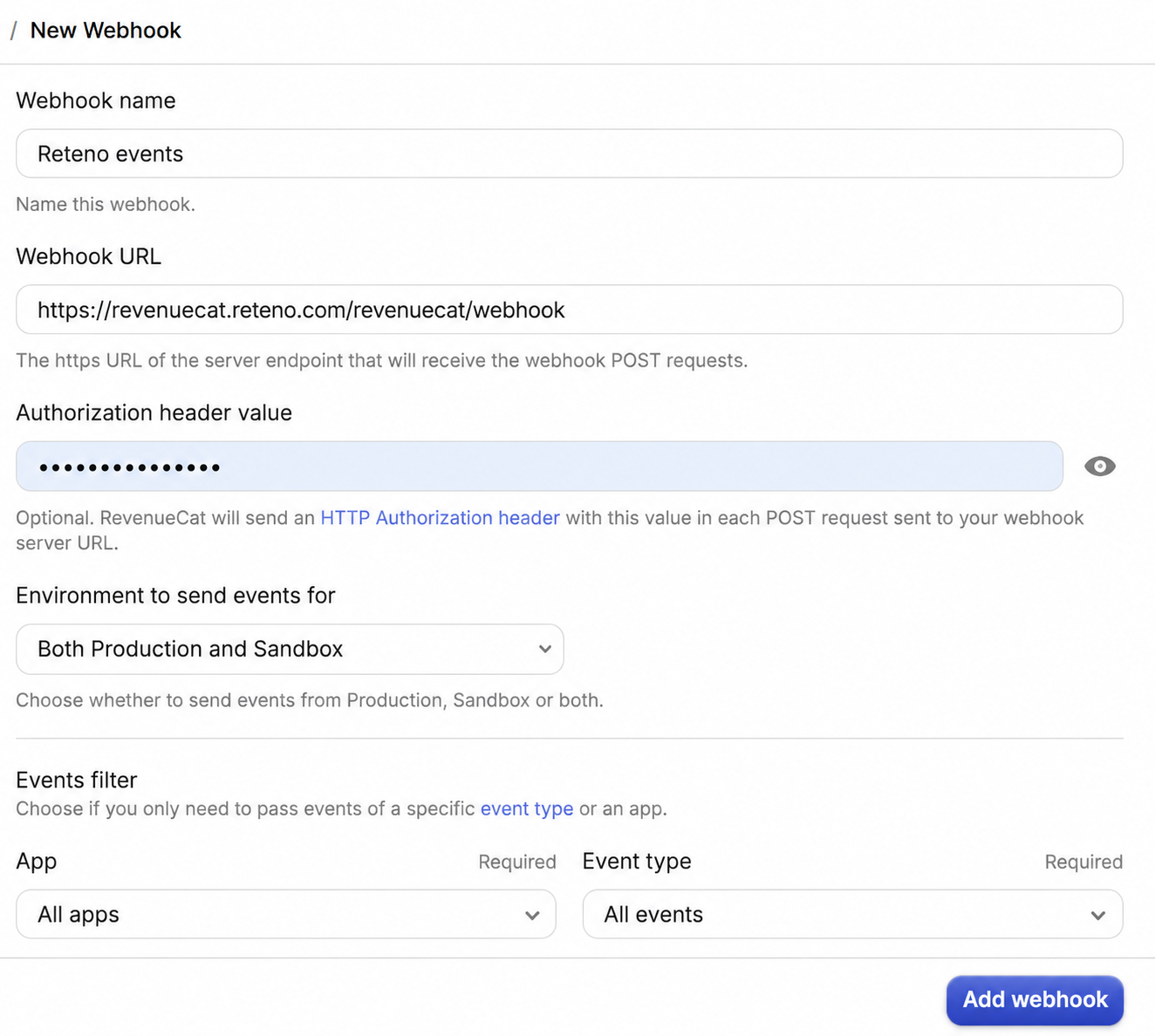
Fill in the webhook settings:
- Webhook Name – any descriptive name.
- Webhook URL –
https://revenuecat.reteno.com/revenuecat/webhook - Authorization header value – paste the API key you copied from the Reteno
- Environment to send events for — Both production and sandbox
- App — select all or a specific app
- Event type — select all or a specific event
-
Add webhook.
RevenueCat will now send a POST request to https://revenuecat.reteno.com/revenuecat/webhook every time one of the selected events occurs.
Step 3. How Reteno Processes RevenueCat Events
When RevenueCat sends an event to https://revenuecat.reteno.com/revenuecat/webhook, Reteno:
-
Validates the request using the API key.
-
Parses the RevenueCat payload.
-
Reformats the payload into a Reteno event with the corresponding event type.
-
Matches the contact using identifiers from the payload (for example, external user ID or other identifiers configured on your side).
-
Stores the event in Reteno so you can:
-
Use it as a workflow trigger (e.g., launch a Subscription started onboarding flow).
-
Use it in conditions inside workflows (branching logic based on event parameters).
-
Use it for segmentation and analytics.
-
Step 4. Testing the Integration
To verify everything works correctly:
-
In RevenueCat, trigger a test webhook.
-
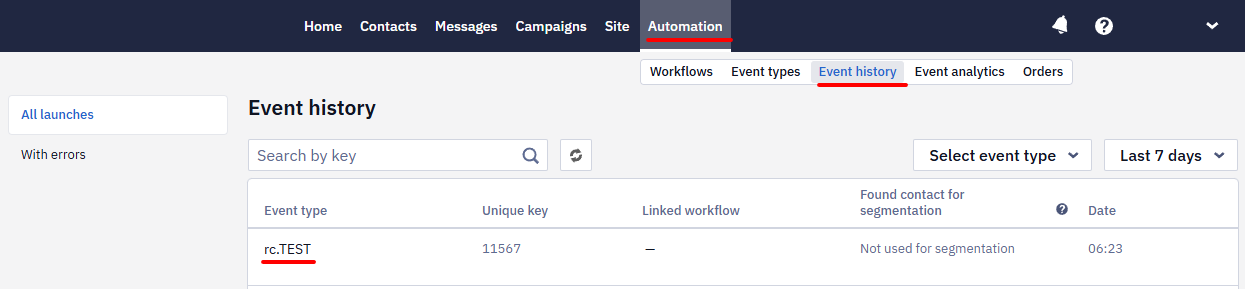
In Reteno, open your Event history section.
-
Check that a test event has been received.
Example Use Cases
Once the integration is active, you can build workflows such as:
-
New subscriber onboarding
Trigger:SubscriptionStarted-
Send a welcome email or push with plan details.
-
Show tips and best practices for getting value from the product.
-
-
Renewal success tracking
Trigger:SubscriptionRenewed-
Update custom fields with the current plan, renewal date, or renewal count.
-
Tag high-value subscribers for VIP treatment.
-
-
Churn prevention & win-back
Trigger:SubscriptionCanceledorSubsriptionFinished-
Launch a reactivation flow with a discount or extended trial.
-
Ask for feedback on why the user canceled.
-
Updated 3 months ago