
What's New for February
Check out updates that simplify everyday work with the platform. Changes affected widgets, workflows, and data exchange.
You can view the January updates via this link, and the current SDK versions in this section.
Workflows
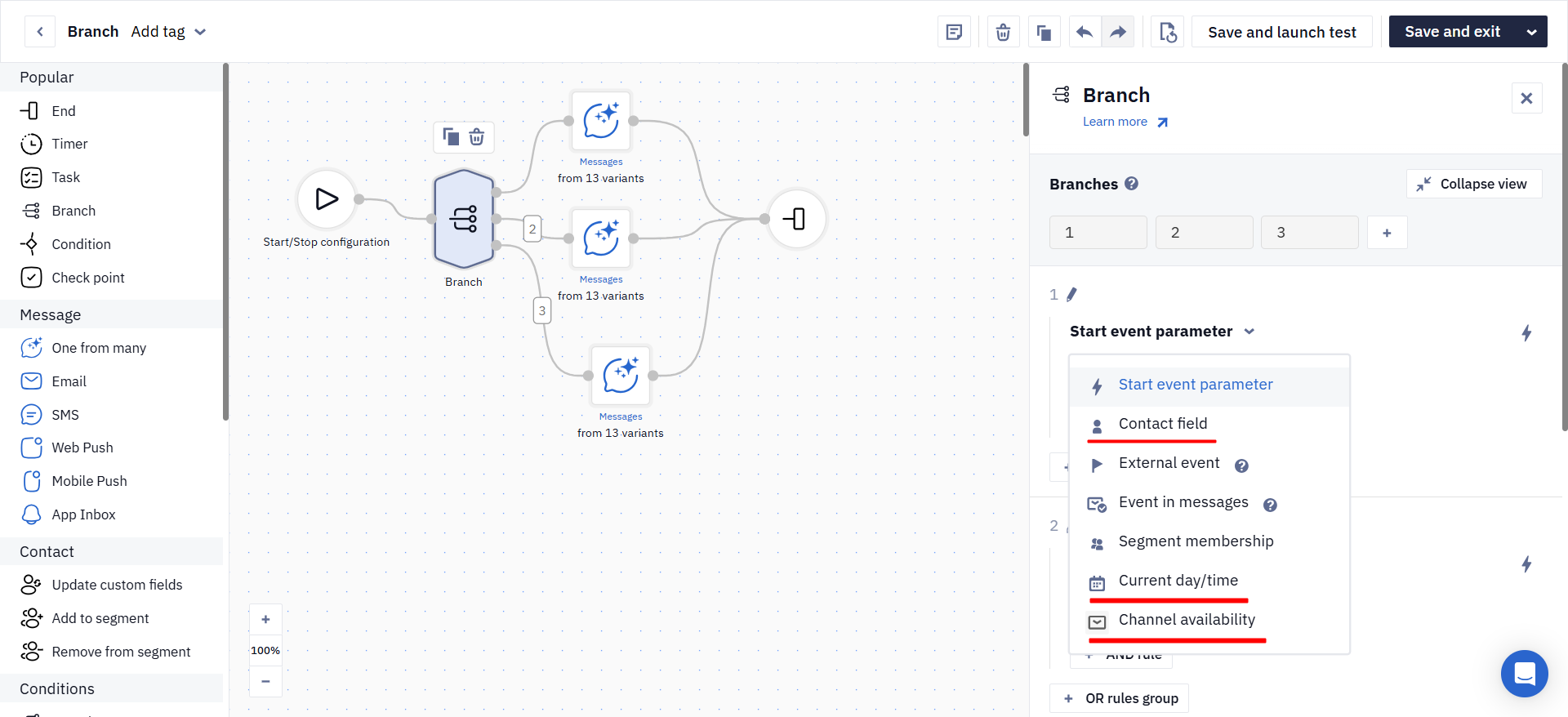
Branch Block: Channel, Time, and Checkbox Field Checks
The Branch block now supports new check conditions: you can now check the available communication channel (Email, SMS, Push, etc.), as well as the current date, day of the week, and time. This helps fine-tune the message-selection logic in a workflow and send communications at a more appropriate time through an available channel.
It is also now possible to check additional contact fields of the checkbox type. This makes it easier to build branches based on user responses or settings saved in the contact card.
Learn more: Using the Branch Block
Expanded Testing Capabilities in the Split Block
The Split block now supports creating multiple branches.
- The maximum number of branches is 10.
This opens up more testing options within a single workflow: you can simultaneously compare different messages, delays, or user path logic. As a result, it is easier to find the most effective option without creating several separate workflows.
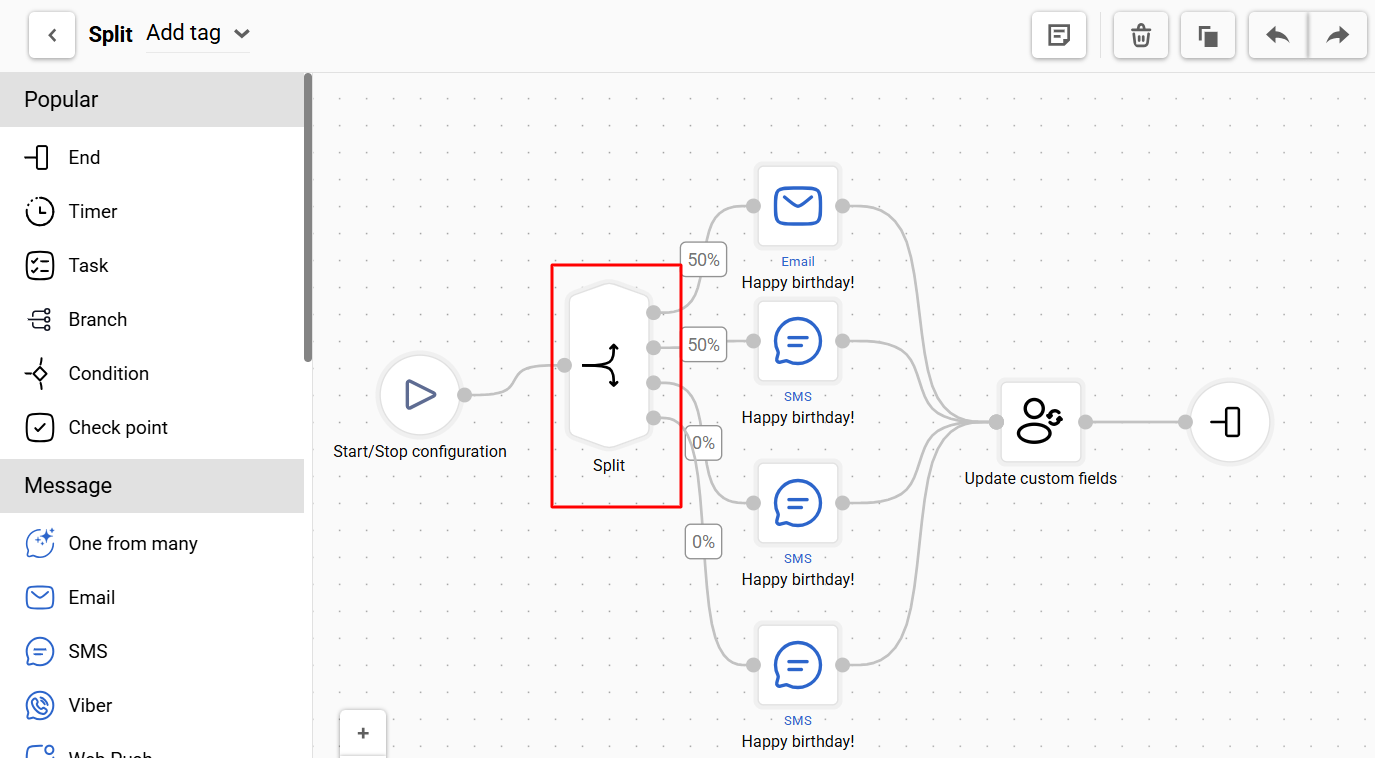
NoteUse the Split block when you need to divide contacts between branches one time — for example, to compare two channels or test options manually and determine the winner yourself.
For automatic workflow optimization, use the One from many block, which automatically rotates options, tracks CTR, and gradually promotes the best-performing ones.
Learn more: The Split Block
Unlimited Incoming Connections for Blocks
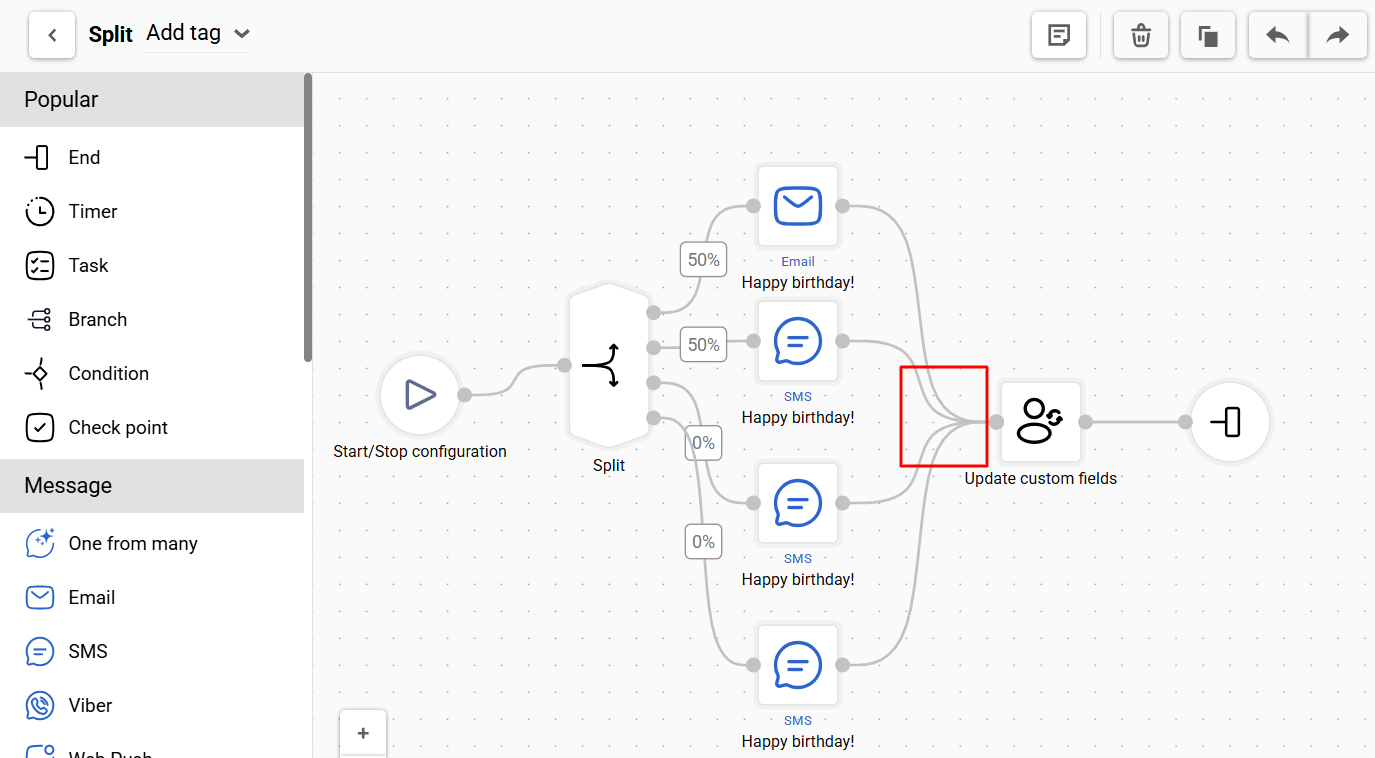
Previously, merging multiple branches sometimes required adding extra intermediate blocks. Now workflows can be built more compactly and clearly, making it easier to edit complex workflows.
Learn more: Configuring and Editing Workflows
Updated Undo/Redo Logic in the Workflow Editor
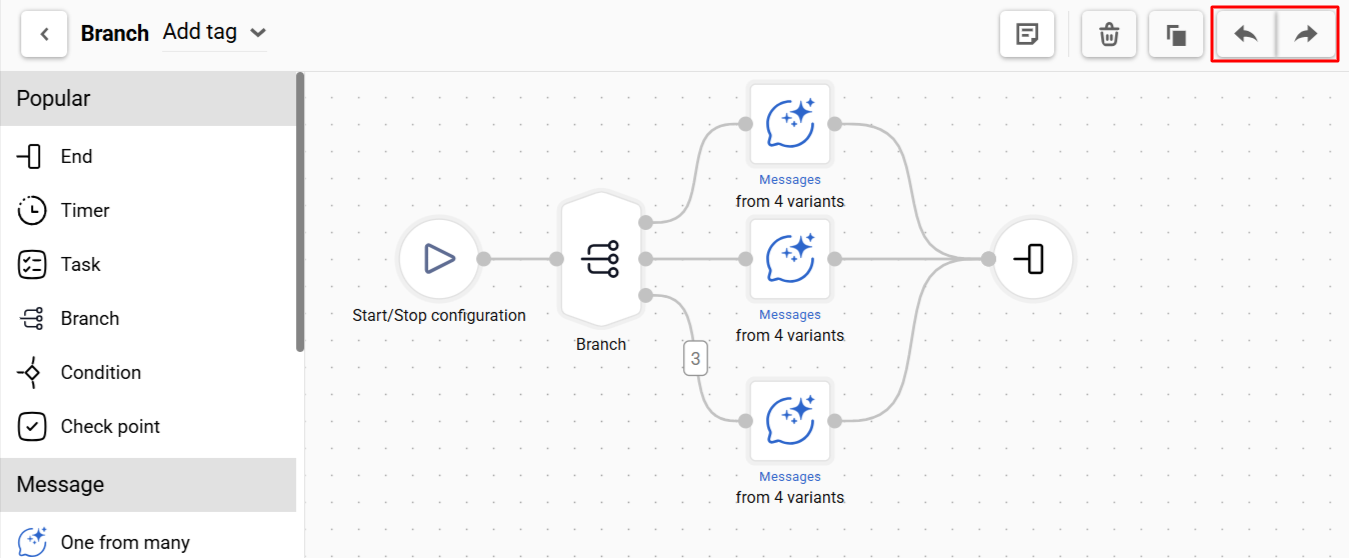
The way undo and redo actions work in the workflow editor has been updated. Only structural and configuration changes are now recorded in the action history — adding and removing blocks, changing their settings, and so on.
Block selection, branch clicks, and block movement are no longer saved to the history. As a result, the Undo/Redo buttons behave predictably, without any unnecessary intermediate steps.
Launching a Workflow After Contact Import
You can now trigger a workflow immediately after importing contacts.
Key conditions:
- The trigger works for new contacts only.
- You can select any workflow created in the account.
- The current workflow start conditions do not affect this trigger.
This is especially useful if you have uploaded a new contact database and want to launch a welcome series, onboarding, or first promotional campaign immediately.
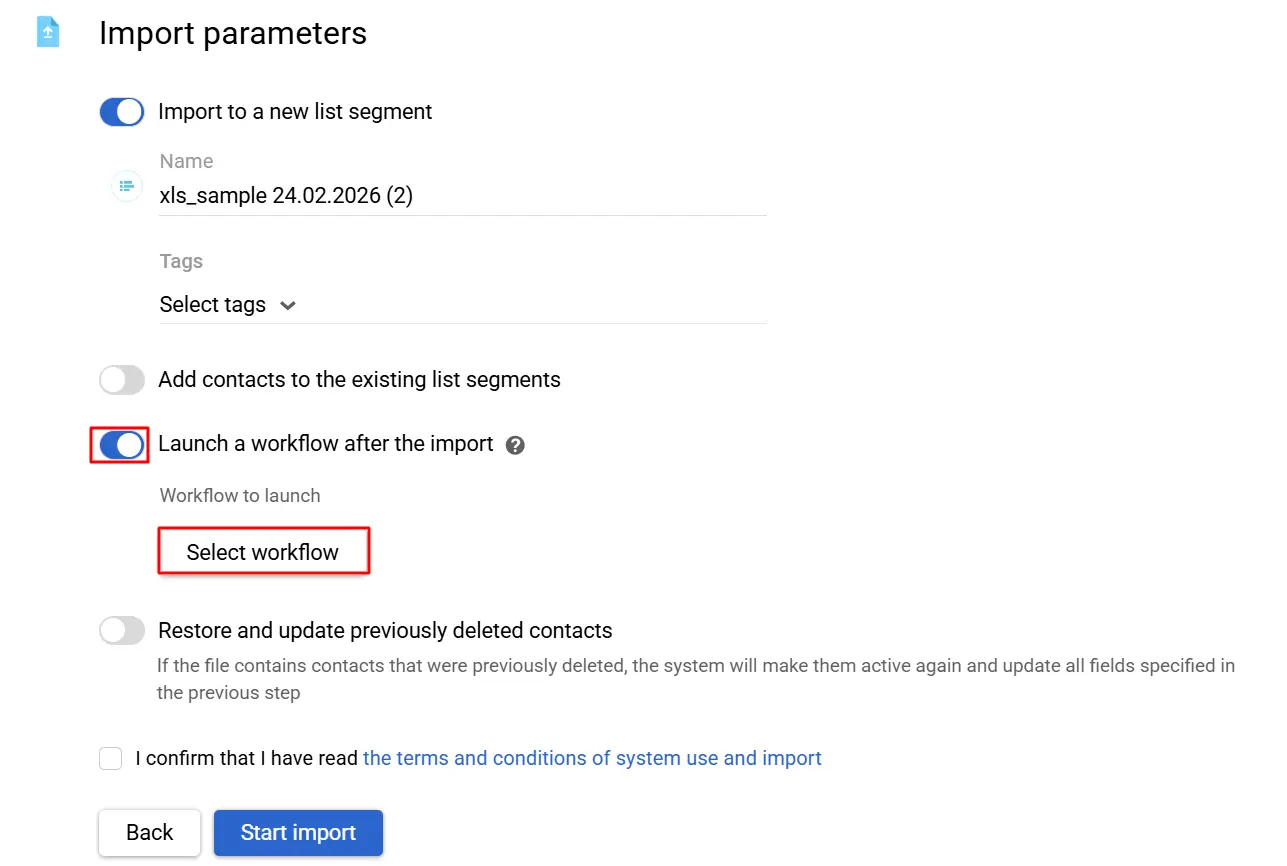
Learn more: Triggering a Workflow After Contact Import
Widgets
"Single Choice" Component for Collecting Responses
A new Single Choice component has been added to subscription forms and request forms. It is displayed as a set of buttons and allows the user to select only one option from those provided — for example, in a short survey.
The selection can be:
- saved to a contact field, or
- passed as an event with the required parameter.
This is a convenient way to quickly collect additional information about a user's interests directly in the widget — without lengthy forms. For example, you can ask which product category a customer is interested in and then use that response to segment and personalize messages.
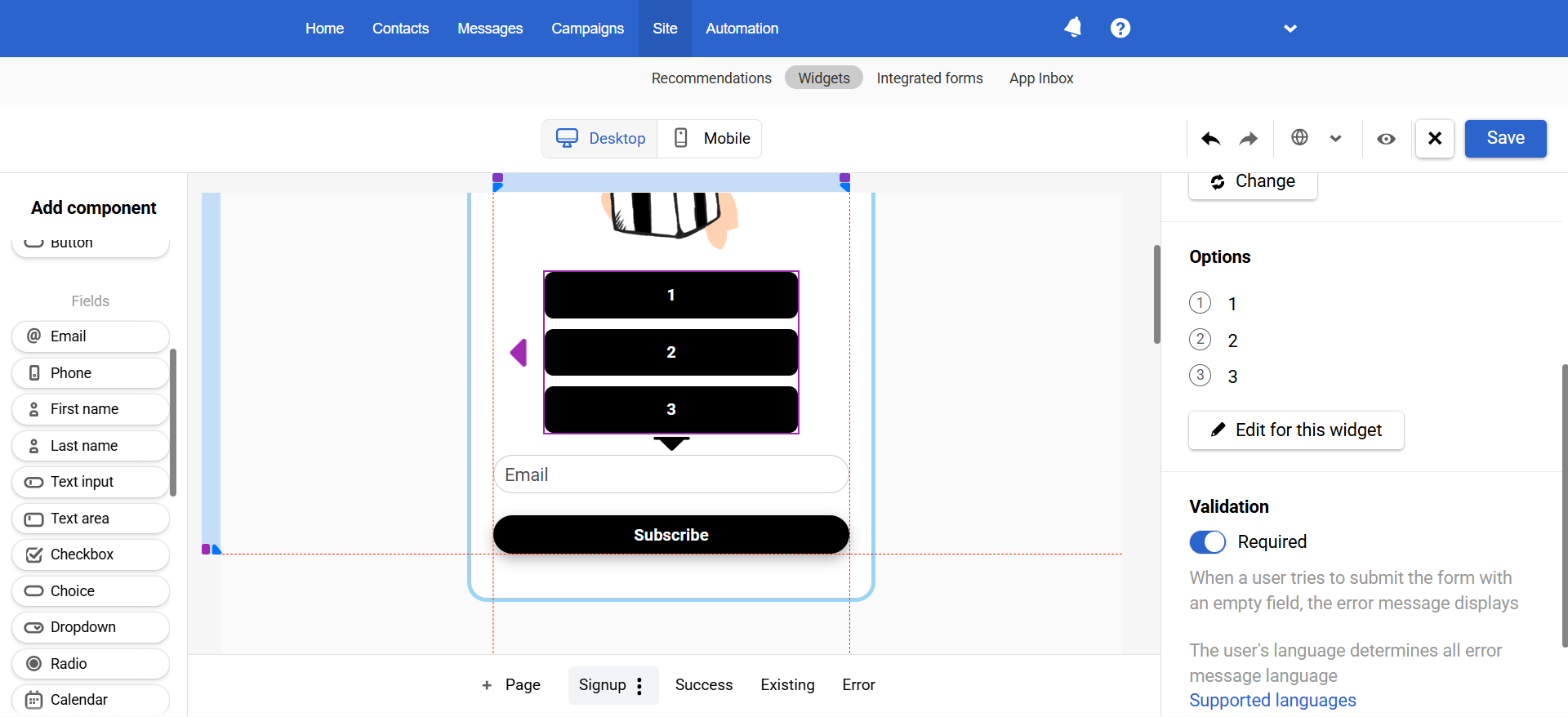
Learn more: Saving Data from Widgets to Contact Fields
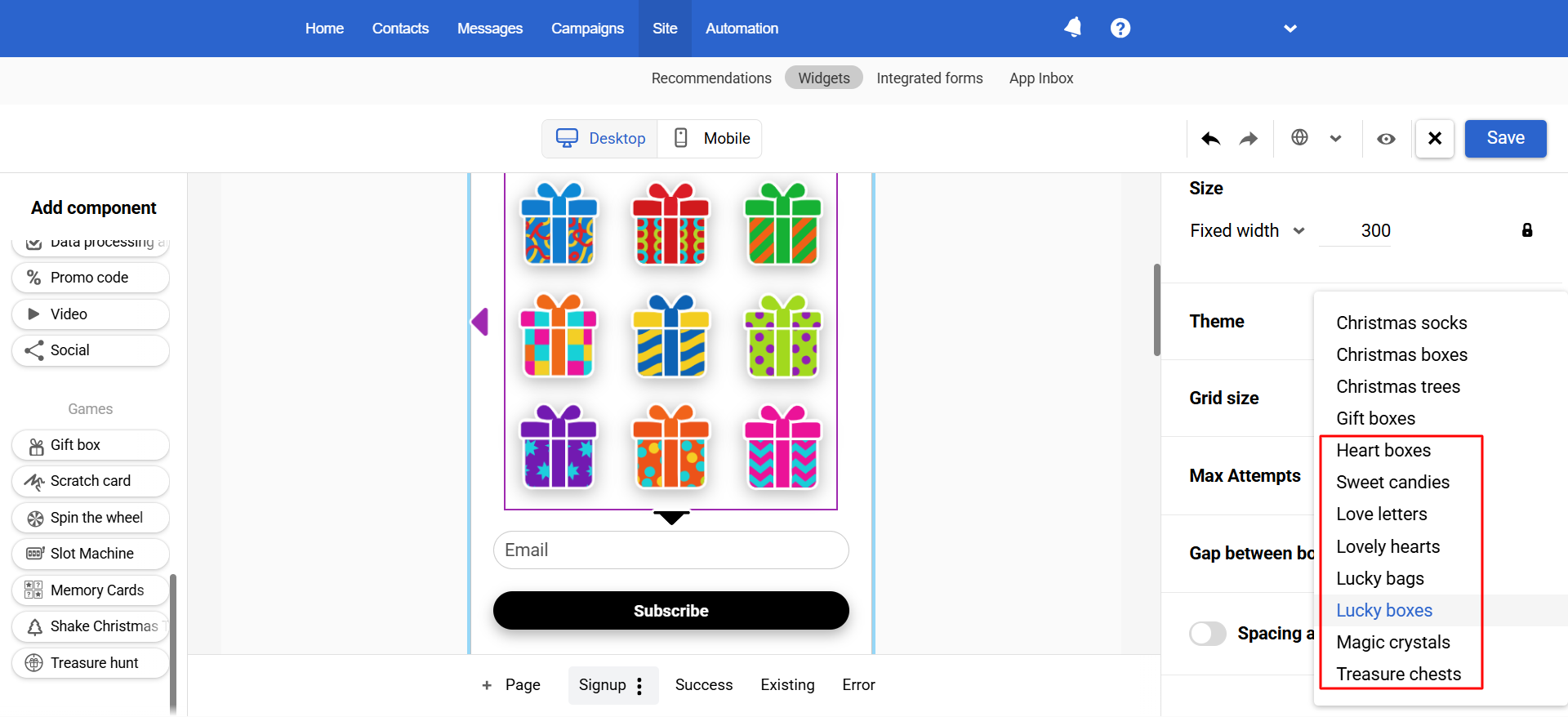
New Card Themes for Gamified Widgets
New design options are available for gamified widgets:
- For the Find the Treasure game, 4 Valentine's Day themes and 4 neutral themes;
- For the Find the Pair game, 2 covers and 4 themes.
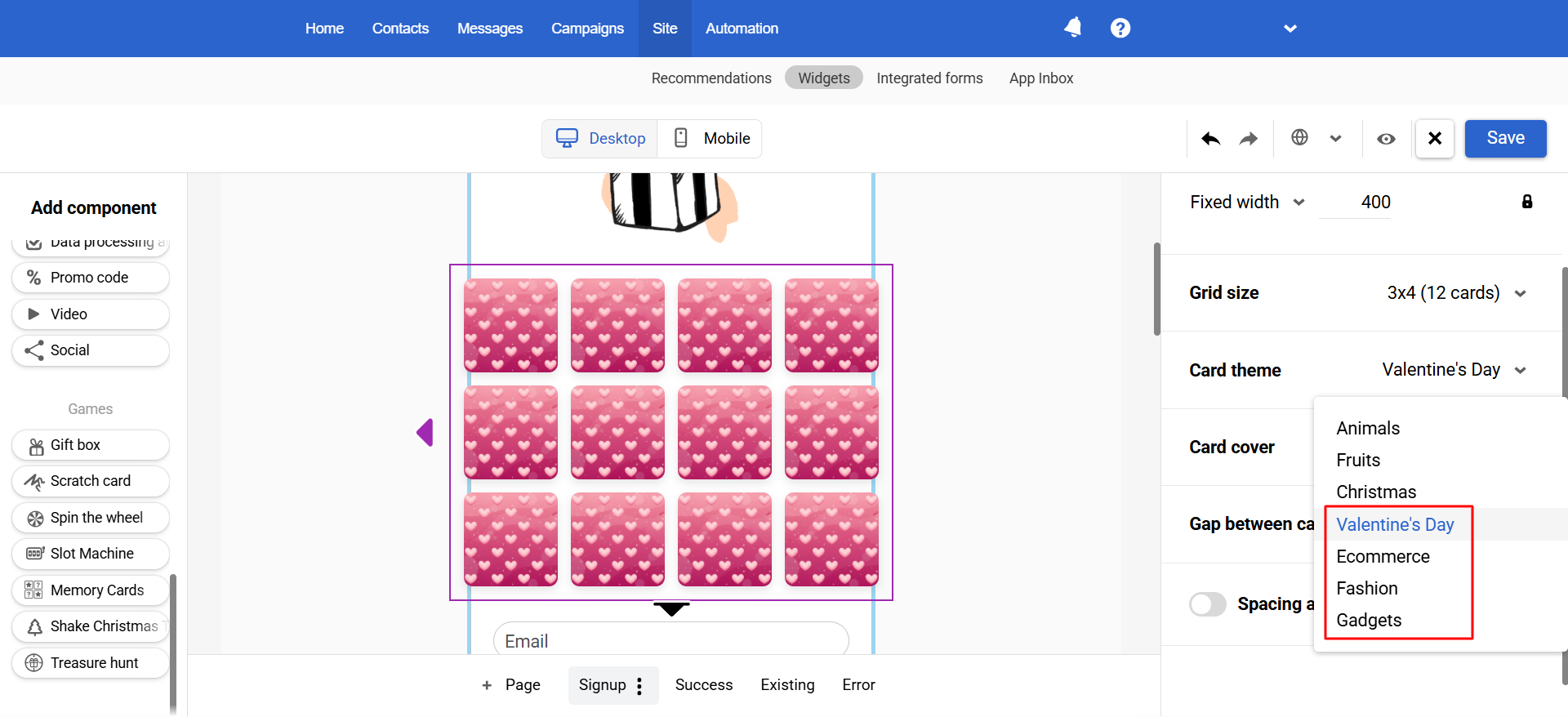
Learn more: Widgets Gamification
Other Updates
Workflow Export to BigQuery
A new workflows table has been added to the export for BigQuery.
This allows workflow data to be used in external analytics: build reports in BI systems, combine them with campaign results, and gain deeper insight into the performance of your automations.
Learn more: External Data Sources
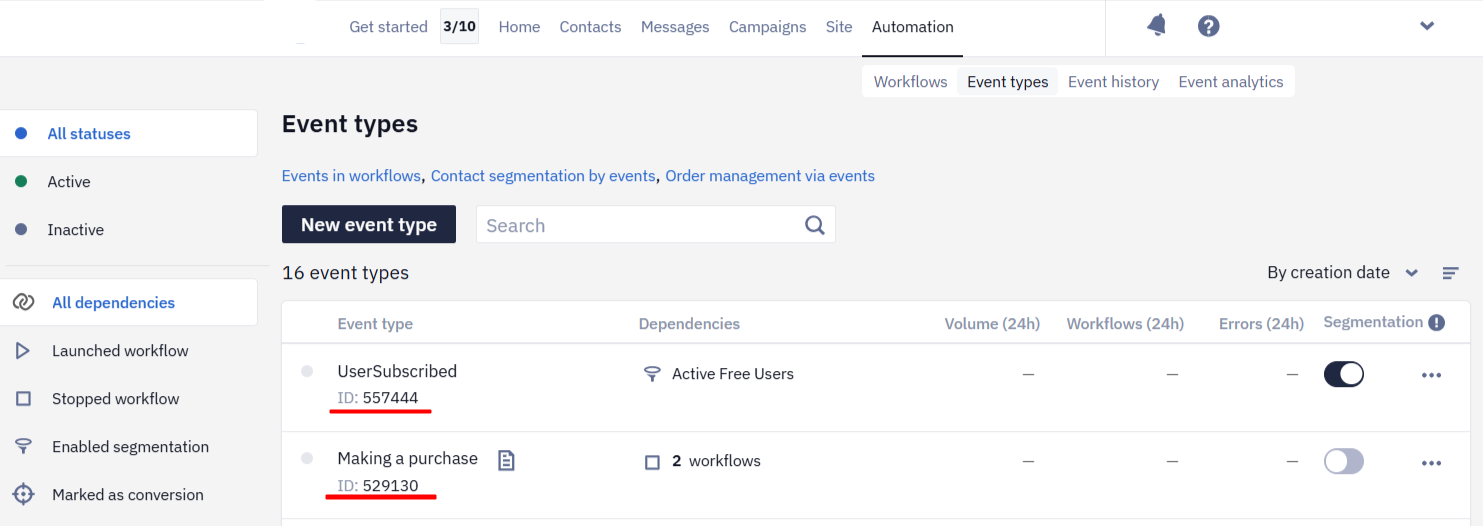
Event ID Display on the "Event Types" Page
The Event Types page now displays the ID for each event. You can also copy the ID to the clipboard with a single click.
Learn more: Event and Behavior Tracking
Updated about 1 month ago