
What's New for April–May
Spring brought a wave of meaningful updates to Reteno — most notably a major expansion of the AI agent's capabilities. The agent can now work with images, analyze your workflows, connect to Figma, and run on a schedule. Alongside that, the platform received a number of practical improvements to workflows, analytics, and contact management.
You can review the February updates here; the latest SDK versions are available in this section.
Reteno Agent
The Reteno Agent is available in Slack and is currently in Research Preview.
The agent can now generate and update images in email templates using AI, pull live performance data directly from the Reteno admin panel, read and explain the internal structure of your workflows, connect to Figma to download frames as PNG files, and run on a schedule — posting results to a dedicated Slack thread automatically.
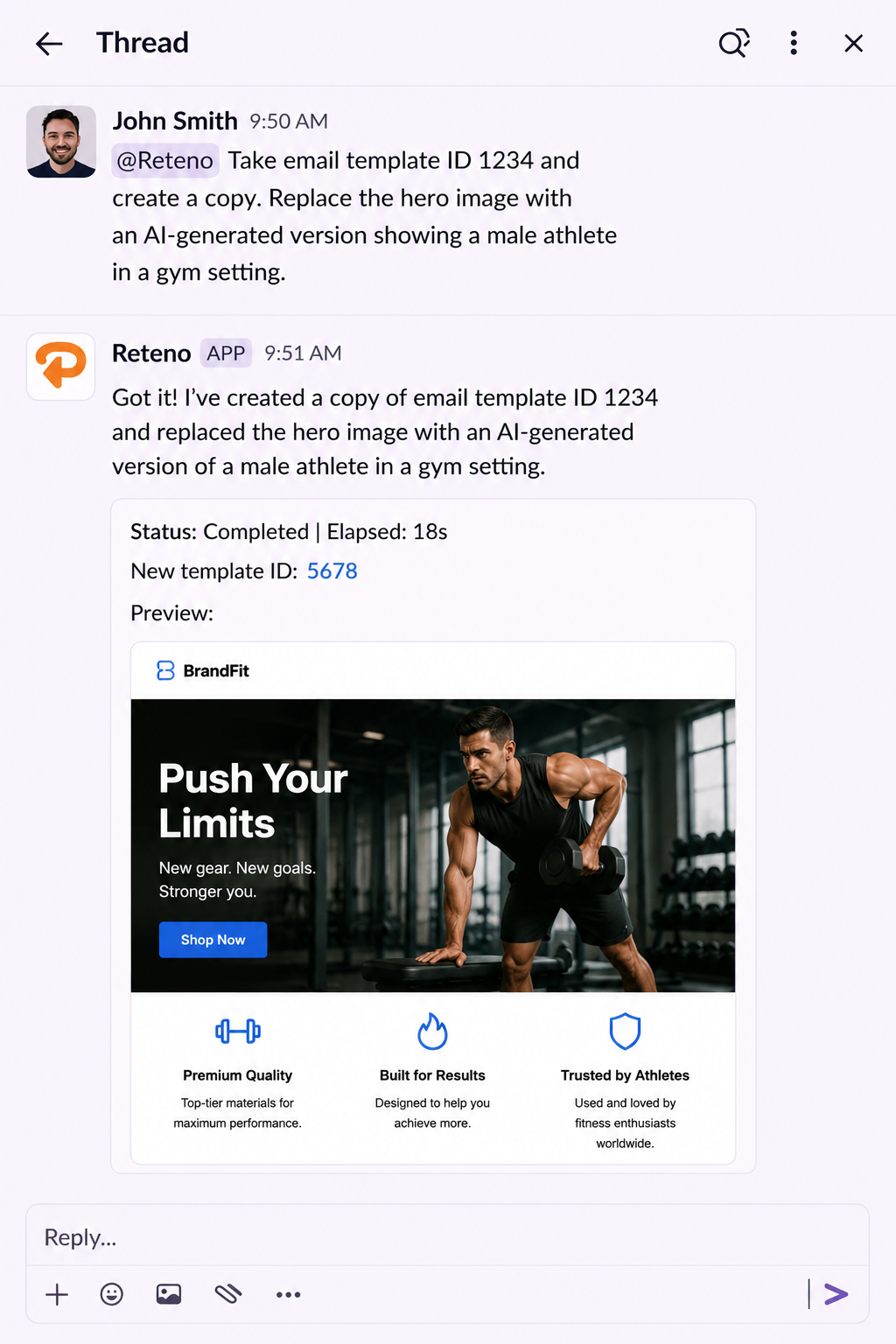
For use cases and prompt examples, see Reteno Agent in Slack: Use Cases.
Analytics
New Metrics on the Home Page
The home page now includes new performance indicators that give a more complete picture of campaign effectiveness.
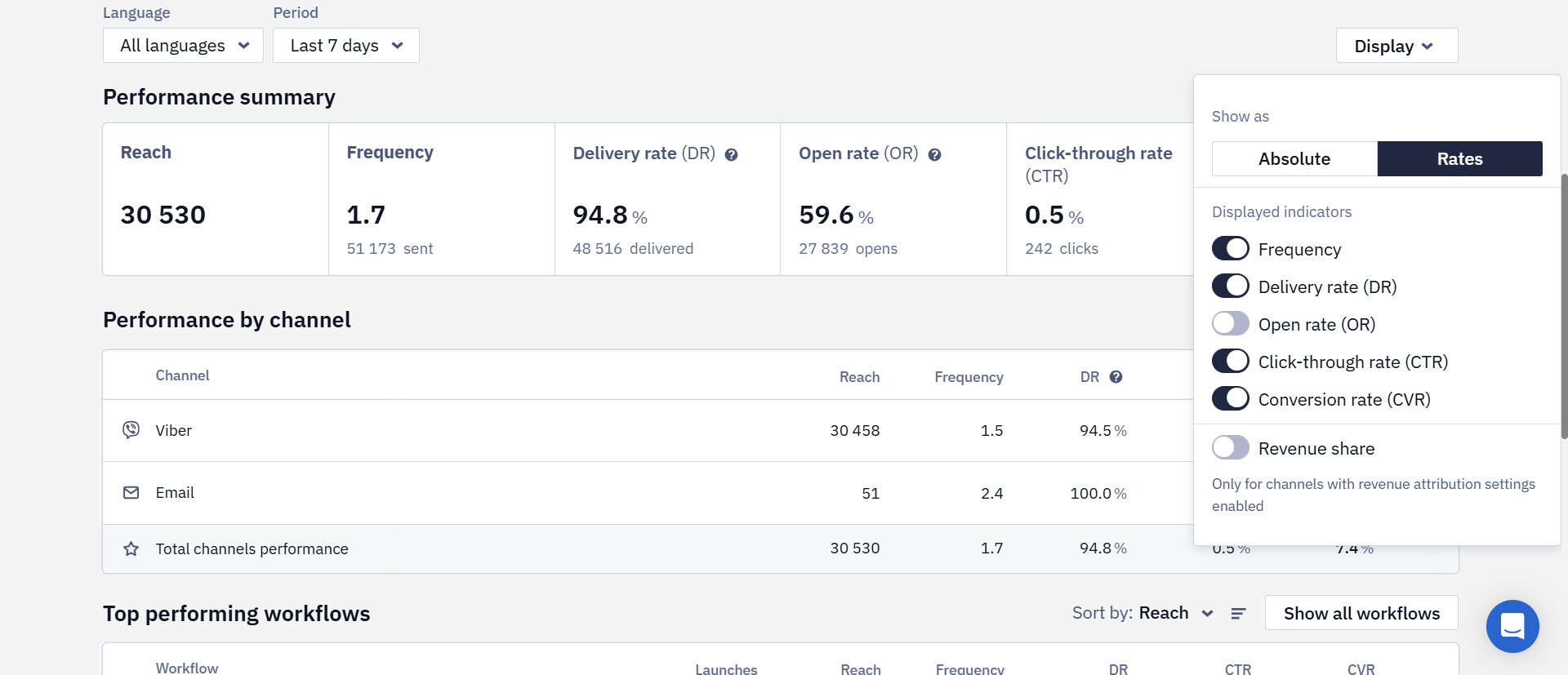
- Open Rate (OR) — available for all channels except SMS.
- Total channels performance — a summary row showing combined figures across all channels.
For accounts with multilingual messaging enabled, a language filter has also been added.
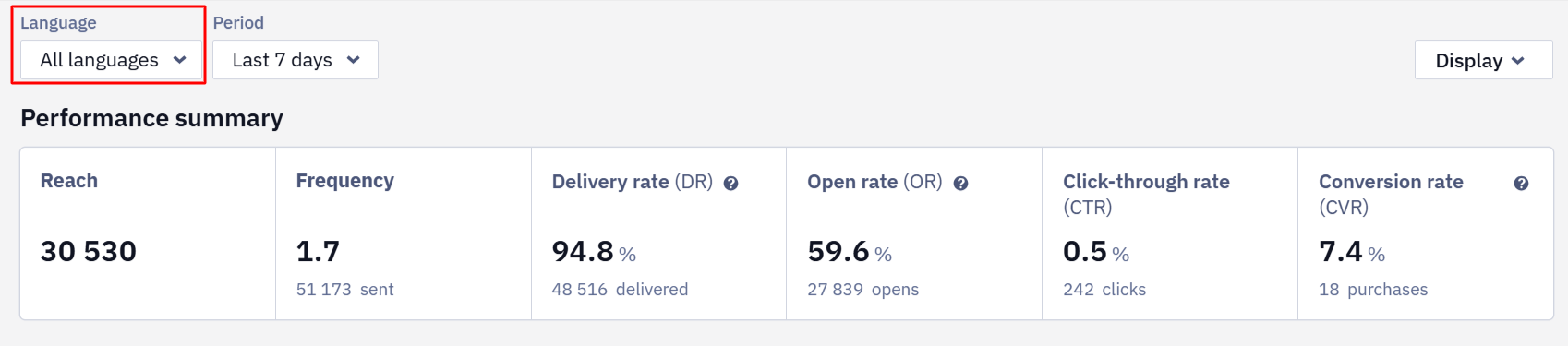
The filter applies to all metrics except workflow launches. This makes it easy to analyze campaign results by language version — for example, compare Open Rate for English-speaking and Ukrainian-speaking audiences in a single report.
One from Many: Per-Message Performance Breakdown
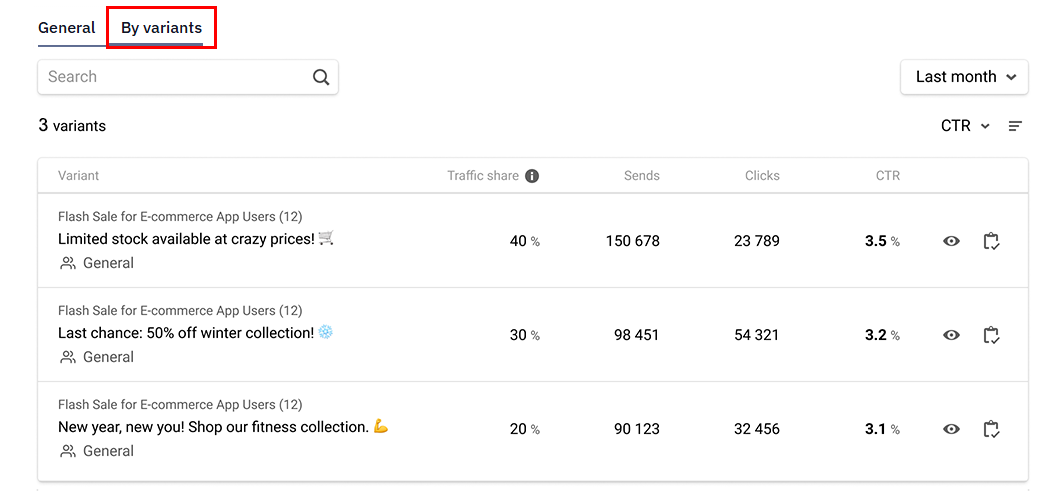
The One from Many block report now has a dedicated tab showing results for each message variant — not just the overall block performance. Data can be sorted by metric to quickly identify top and bottom performers, and update or replace them as needed.
Workflows
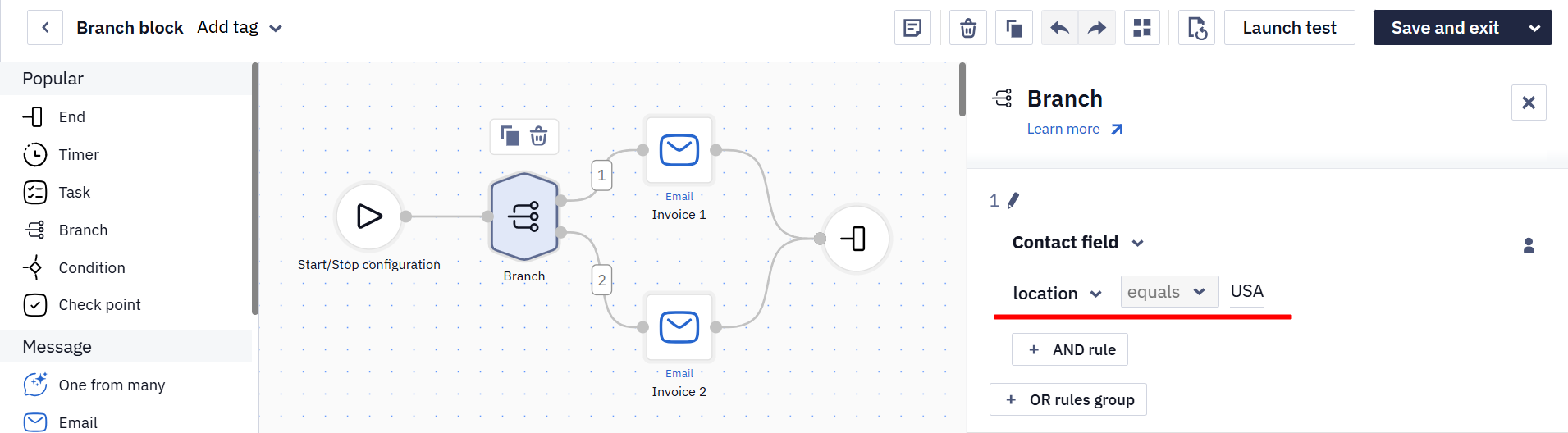
Standard Contact Fields in Branch and Check Values Blocks
Previously, these blocks only supported custom contact fields. Now standard fields are available too — first name, last name, email, phone, country, address, and more. For example, you can branch a workflow by country and show different content for different regions.
Learn more:
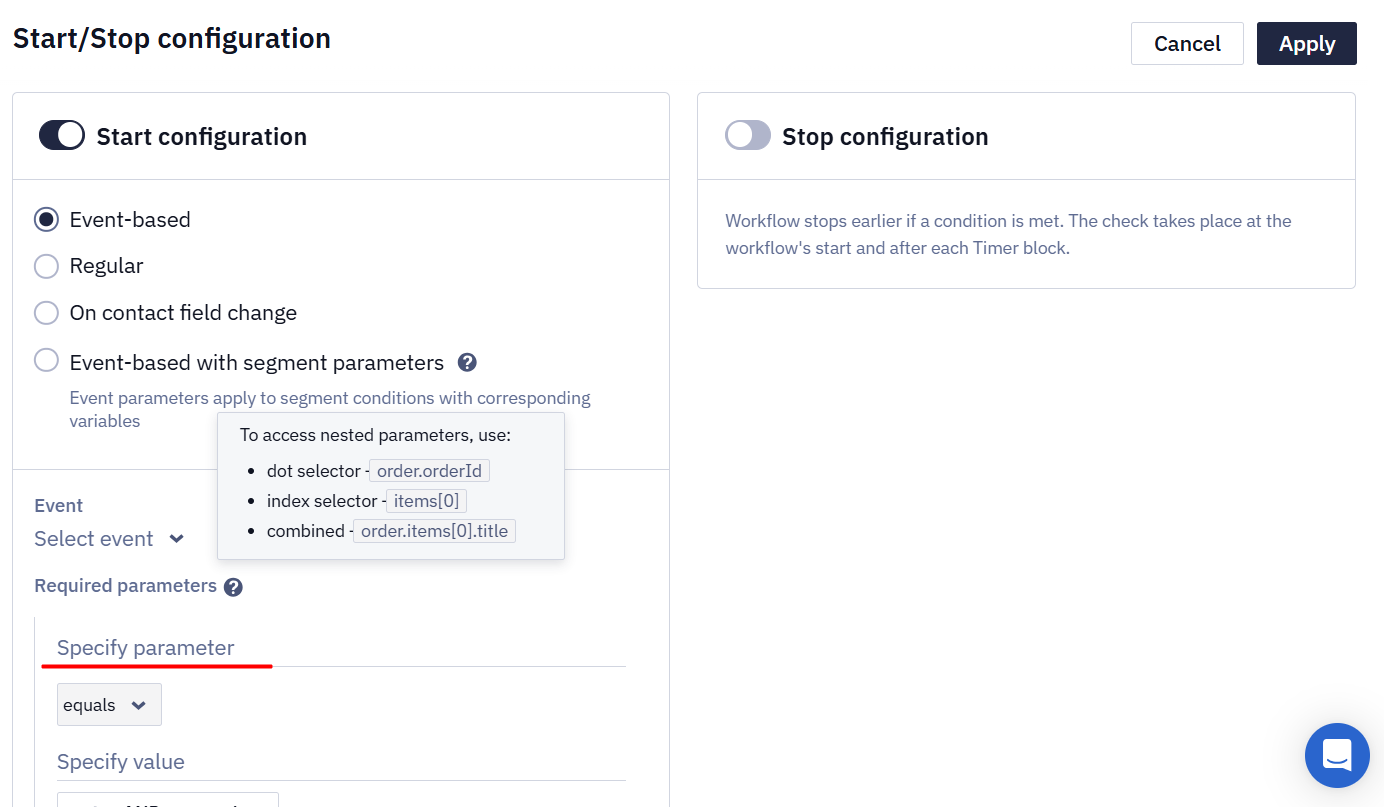
Nested Selectors in Workflow Start/Stop Configuration
The workflow start and stop configuration now supports nested data selectors — so instead of referencing just a top-level event field, you can target a specific value inside a complex object, such as subscription.plan or workout.completedSessions. This is useful when your events carry complex data structures and you need to trigger or stop a workflow based on a specific nested value.
Widgets
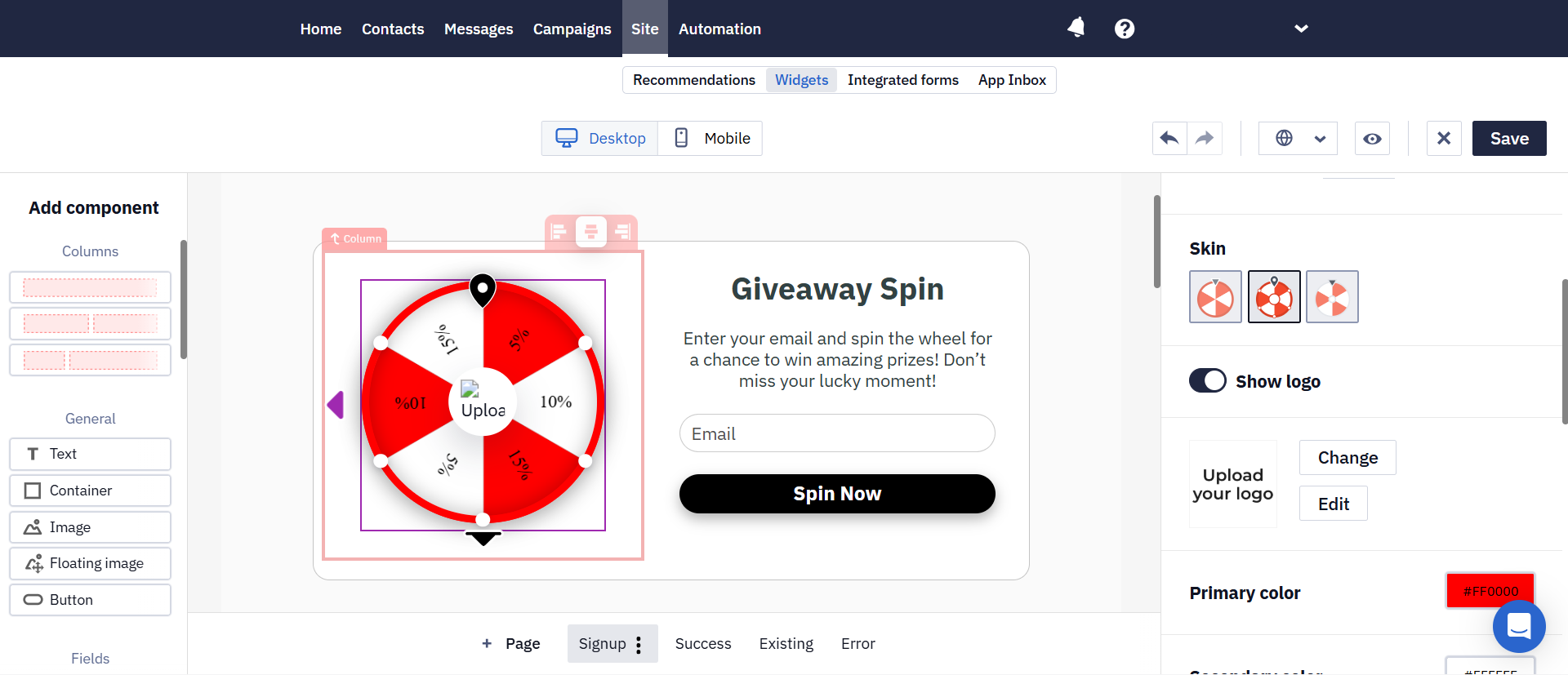
Spin-the-Wheel: New Styling Options
The Spin-the-Wheel is a gamified widget that invites visitors to spin a wheel in exchange for their email. It now comes with several new styling options:
- Logo in the center of the wheel — available in the second skin: the logo is placed in the central circle and stays visible while the wheel spins.
- Prize settings in the main panel — no more digging through additional tabs.
- New skins and win animations — ready-made wheel styles you can apply in one click, plus new animations triggered at the moment of winning.
Switch Between Widget Layouts
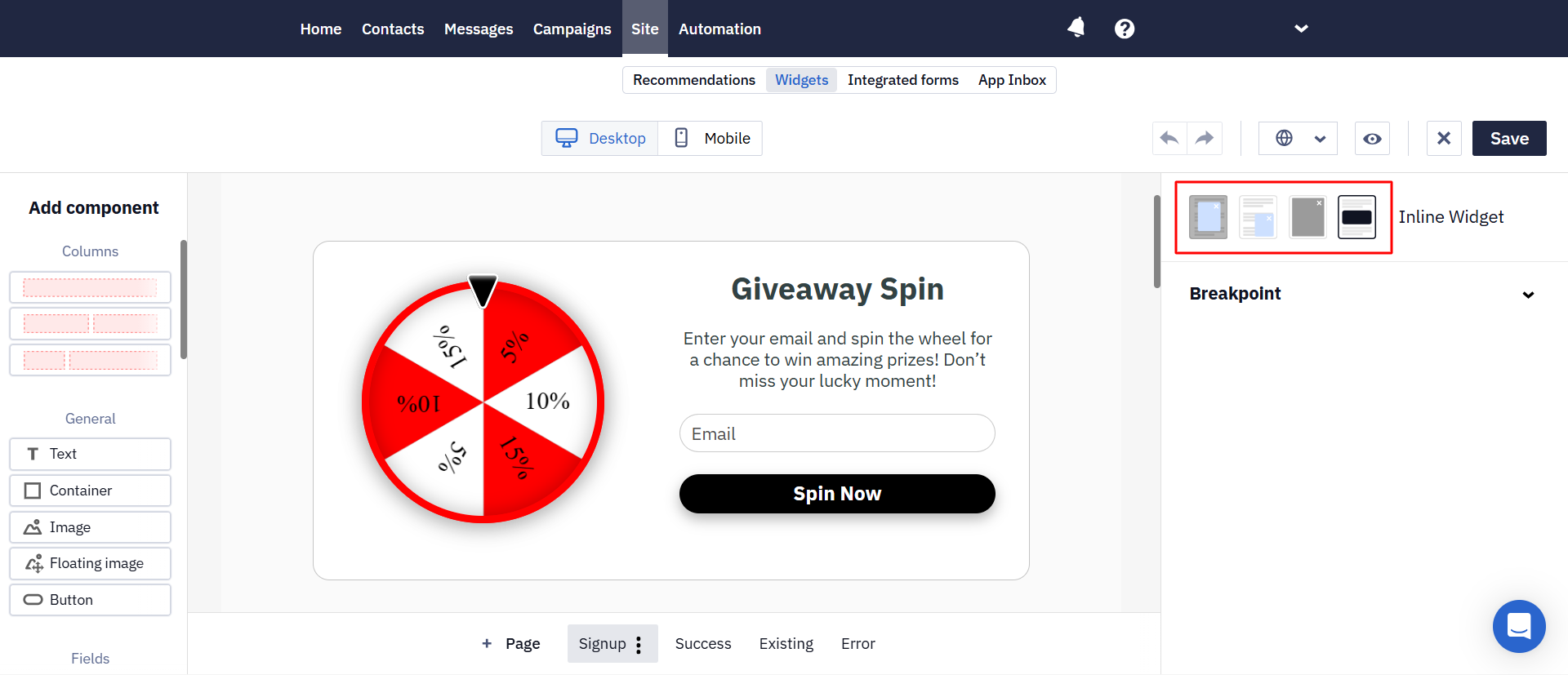
You can now change a widget's display format — Popup, Floating Box, Full-screen, or Inline — directly in the editor, without rebuilding it from scratch. Design, proportions, and content are preserved. This makes it easy to test different formats for the same campaign.
Partial Form Submission Capture
If a visitor completes several steps of a multi-step form but closes the widget before reaching the final step, the data they entered is no longer lost. The system saves valid fields and passes them to connected integrations, provided the user has given the necessary consent.
This way you don't lose contacts who showed clear intent but didn't reach the final confirmation step.
Other Updates
bundleId in Mobile Push Activity Webhooks
A new field — bundleId — has been added to webhooks. It identifies which mobile app triggered the event: the Bundle Identifier for iOS, or the Application ID (package name) for Android. This is useful if you have multiple mobile apps in a single account — contact activity can now be attributed to the specific app that generated it.
imId in Contact Activity and Webhooks
imId is a unique identifier for an individual message. It lets you precisely link a contact's action — a click, open, or unsubscribe — to the specific message that triggered it.
The imId field has been added to:
- the Get contacts activity resource;
- webhooks.
New SMS Provider
Integration with Polish SMS provider SerwerSMS is now available. This expands the list of supported providers for marketers working with Polish audiences.
Updated about 2 months ago