
Sending Blocks
The Sending blocks are used to send messages in a workflow and are divided into three types:
- One from many — selects and sends the most effective message from messages with specific tags.
- Regular messages — send messages via Email, SMS, Mobile Push, App Inbox, and Web Push.
- Transactional messages — service Email and SMS messages.
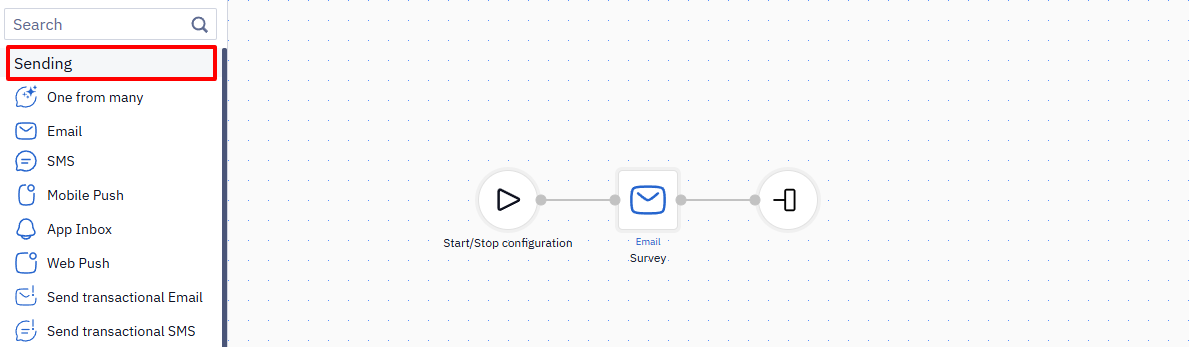
Regular Messages
The Email, SMS, Web Push, Mobile Push, and App Inbox blocks are used to send messages through the corresponding channels.
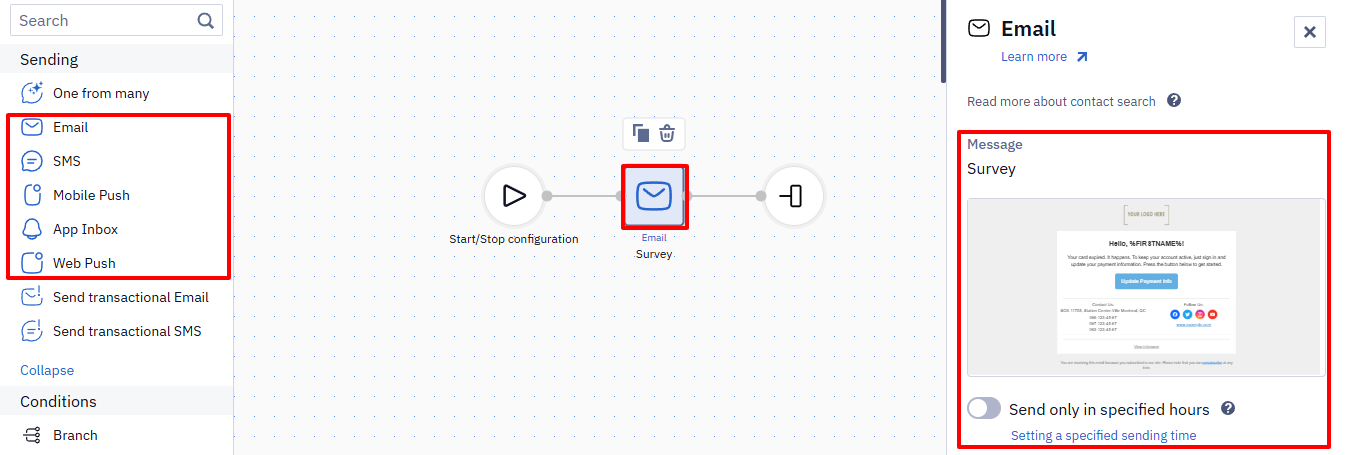
Each block contains basic and advanced parameters.
If the contact isn't subscribed to the channel, the block doesn't send the message and the workflow run reports Contact is not subscribed.
Basic Parameters
Basic parameters are required for all blocks except Send only in specified hours.
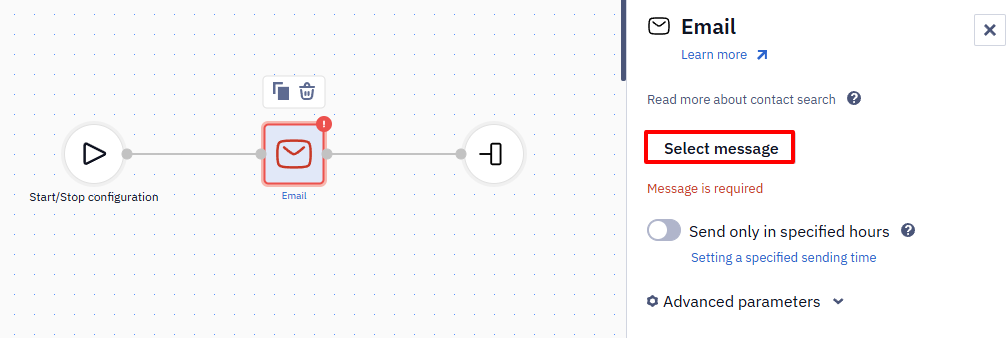
List of basic parameters:
| Parameter | Settings | Blocks |
|---|---|---|
| Message | Select the message that will be sent to the contact. | All blocks |
| Send only in specified hours | Activate the toggle to send the message only in specified hours. The option is disabled by default. For details, see Setting Up Allowed Send Time for Messages from Workflows. | All blocks |
| Application | Select the name of the mobile app. If only one app is connected, it will be selected automatically. | Mobile Push |
Advanced Parameters
You must fill in advanced parameters when using custom event parameters, sending messages to an additional contact, and inserting dynamic content.
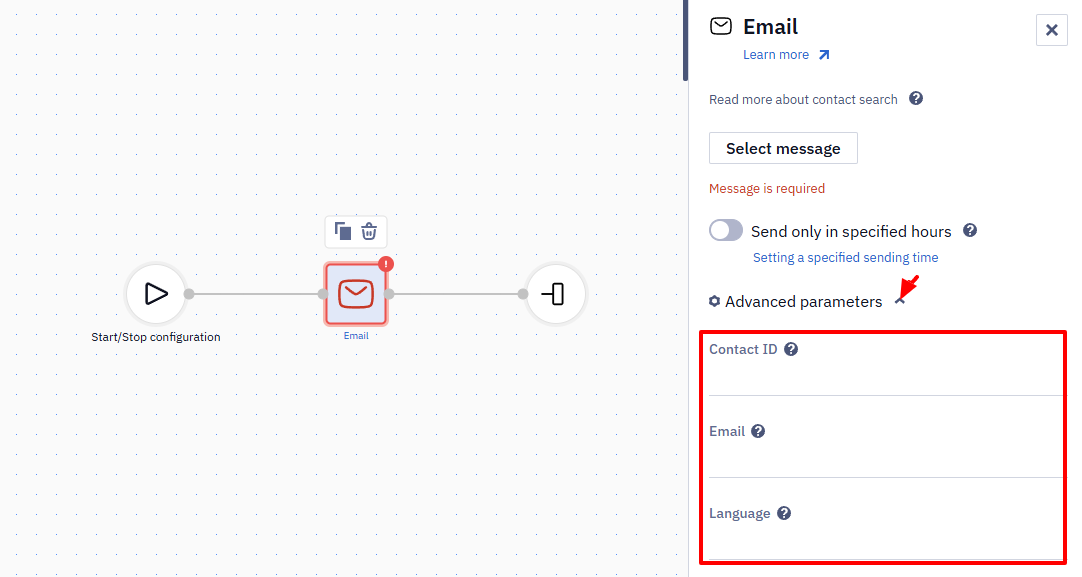
More about advanced workflow block parameters >
NoteFile attachments aren't supported in emails. Host the file on your own server or a cloud storage service instead, and add a download link to the message body.
Transactional Messages
Transactional messages are service messages sent to a contact in response to an action or event: order placement, delivery status change, password reset, registration confirmation, and so on.
Unlike regular messages, transactional blocks send messages regardless of the contact's status in the system: confirmed, unconfirmed, unsubscribed, or marked as reported spam. The exception is blacklisted contacts: transactional messages are not sent to them.
In a regular sending block the contact's status is checked at the moment of sending: a message to an unsubscribed contact isn't sent, and the workflow report counts it as undelivered.
Emails sent without a workflow through the Send email and smartsend API resources aren't delivered to unsubscribed contacts. To send a mandatory email to an unsubscribed contact, use a transactional block in a workflow.
A transactional block affects sending inside the platform only; it doesn't change which folder or tab the mail service puts the email in.
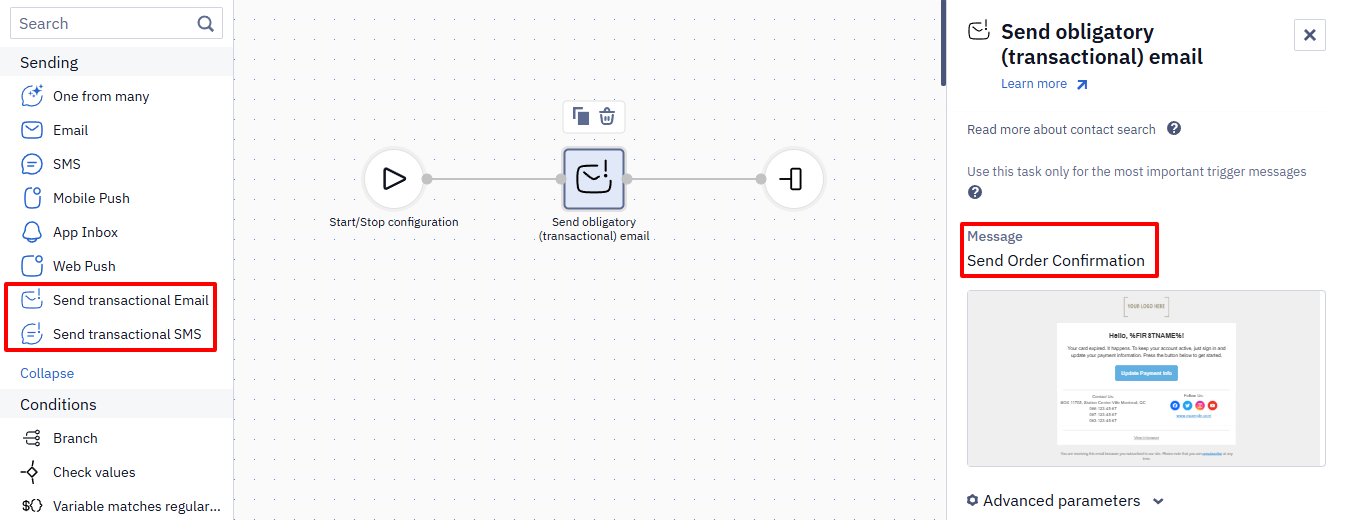
ImportantUse transactional blocks only for the most important triggered messages. They ignore the contact status, which may result in spam reports and harm sender reputation. Such blocks are needed to send a subscription confirmation email to a new, unconfirmed contact, order notifications, or pricing plan change notifications. In all other cases, use regular message blocks.
As with regular message blocks, each transactional block contains basic and advanced parameters.
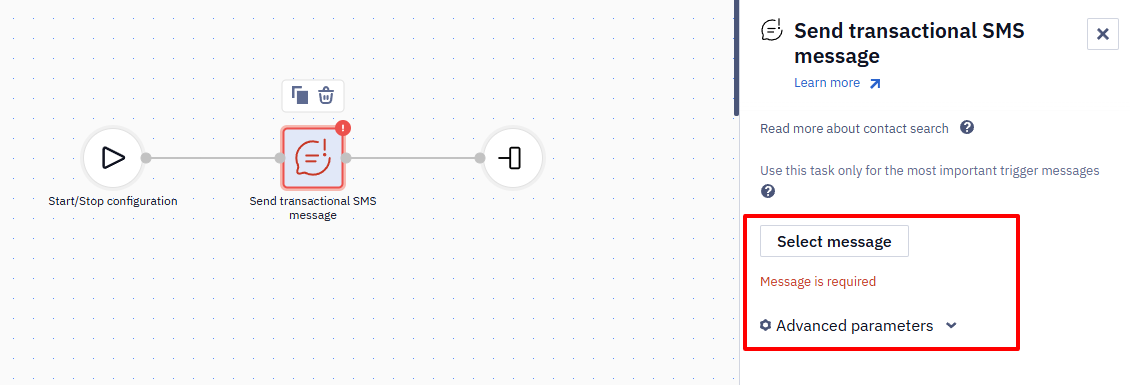
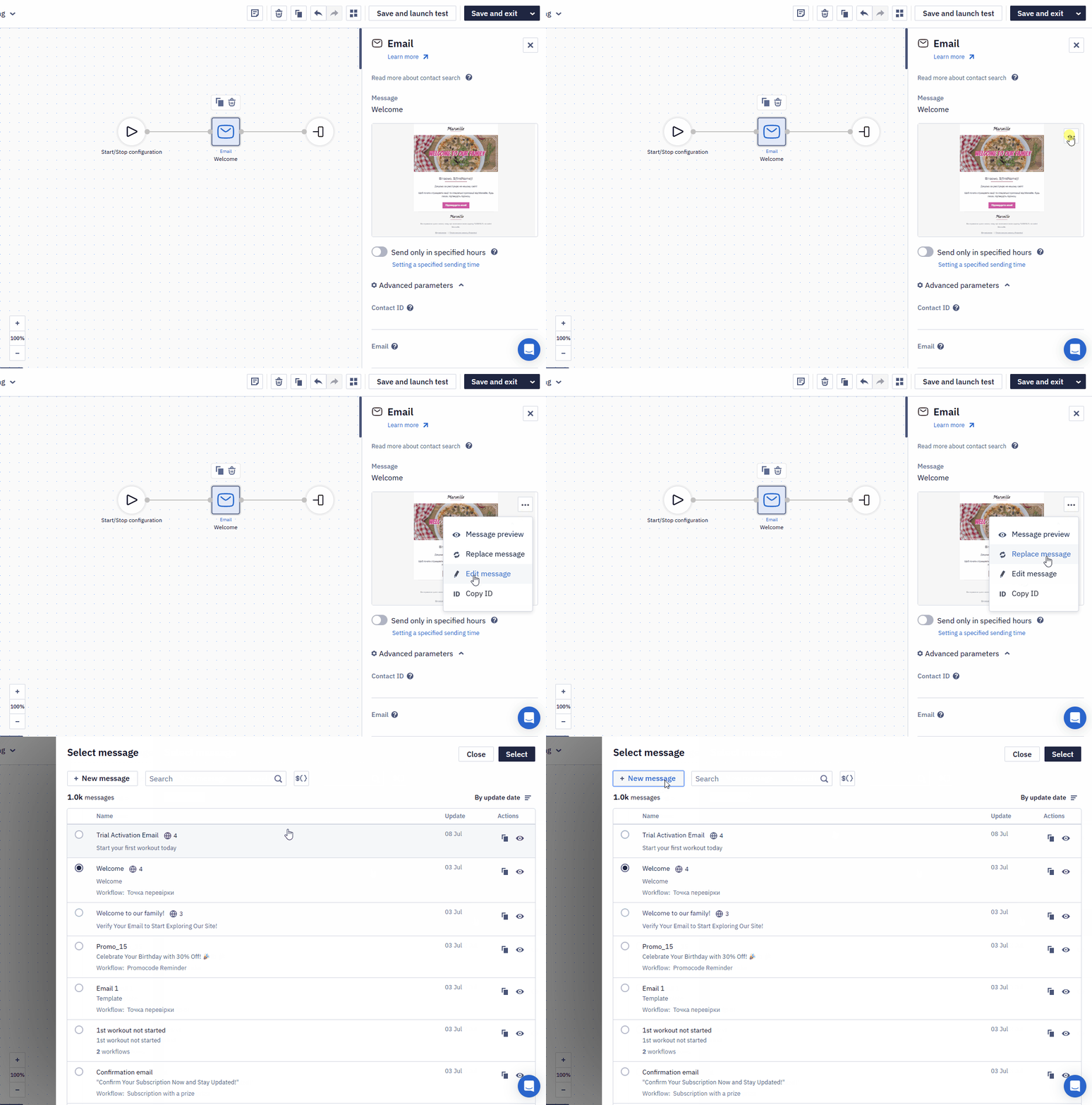
Creating and Editing Messages in a Workflow
In Email, SMS, Mobile Push, App Inbox, and Web Push blocks, you can edit the selected message or create a new one directly in the workflow editor without leaving the workflow or losing its context.
NoteA message is a shared resource — if the same message is selected in more than one workflow (or reused via message chains), editing its content or conditions in one place changes it everywhere it's used. If you see a workflow's content or conditions change without editing that specific workflow, check whether its message is also used elsewhere and was edited there. For messages used in multiple workflows or critical scenarios, consider creating a separate copy instead of reusing the same one.
Updated 1 day ago