
Setting Up the Reteno Plugin for OpenAI Codex
The Reteno plugin for OpenAI Codex connects Codex directly to your Reteno account through MCP. The plugin combines the Reteno MCP connection with reusable workflows for email editing, deliverability audits, messaging analytics, and onboarding funnel analysis.
Once installed, you can work with email templates, contacts, segments, events, workflows, and analytics directly from Codex without opening the Reteno platform. For the full list of supported actions, see Integrating Reteno with AI Agents. For the MCP server endpoint, authentication, and available tools, see the Reteno MCP Server reference.
Reteno supports several AI-agent setup options:
- Claude Code or Claude Cowork — to work with Reteno directly from Claude.
- OpenAI Codex — to work with Reteno in the Codex app.
- Terminal — to work with Reteno from the command line in Claude Code, Codex CLI, or Cursor CLI.
Requirements
- An active Reteno account
- The Codex app installed and signed in
- Git installed on your computer
NoteThis guide installs the Reteno plugin in the Codex app. You can also install it from the command line — see Setting Up the Reteno MCP Server in the Terminal.
Installation
Step 1. Add the Reteno Plugin Marketplace
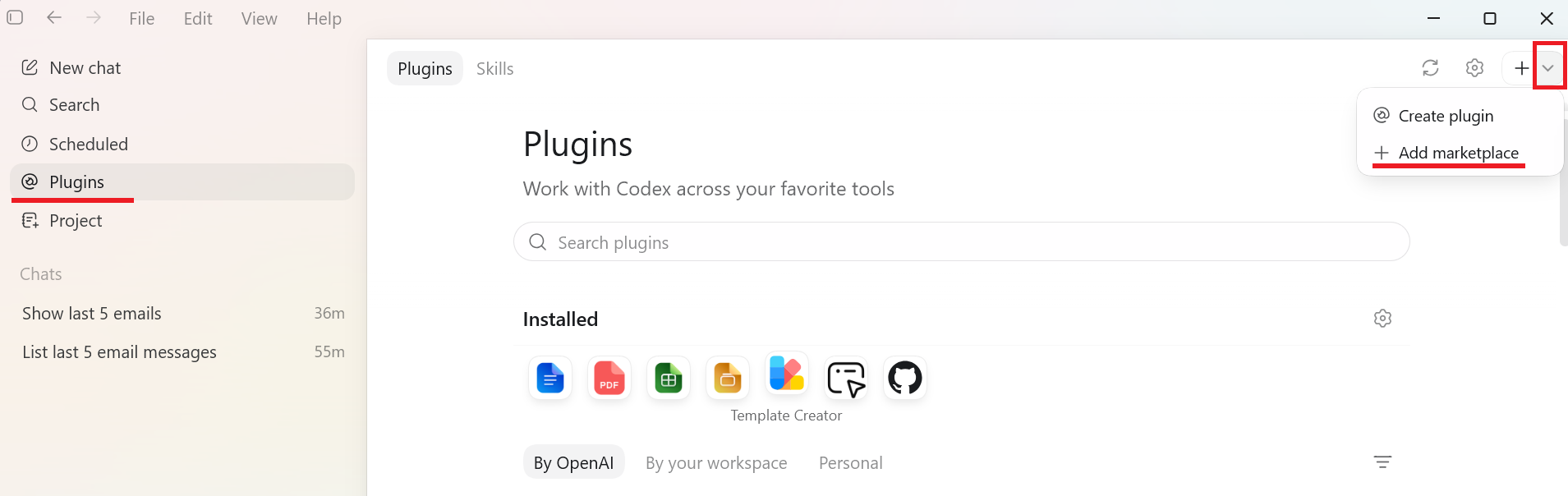
- Open Plugins in the Codex app.
- Click + in the upper-right corner and select Add marketplace.
- In Source, enter:
reteno-com/ai-plugin- Leave Git ref set to
mainand Sparse paths empty. - Click Add marketplace.
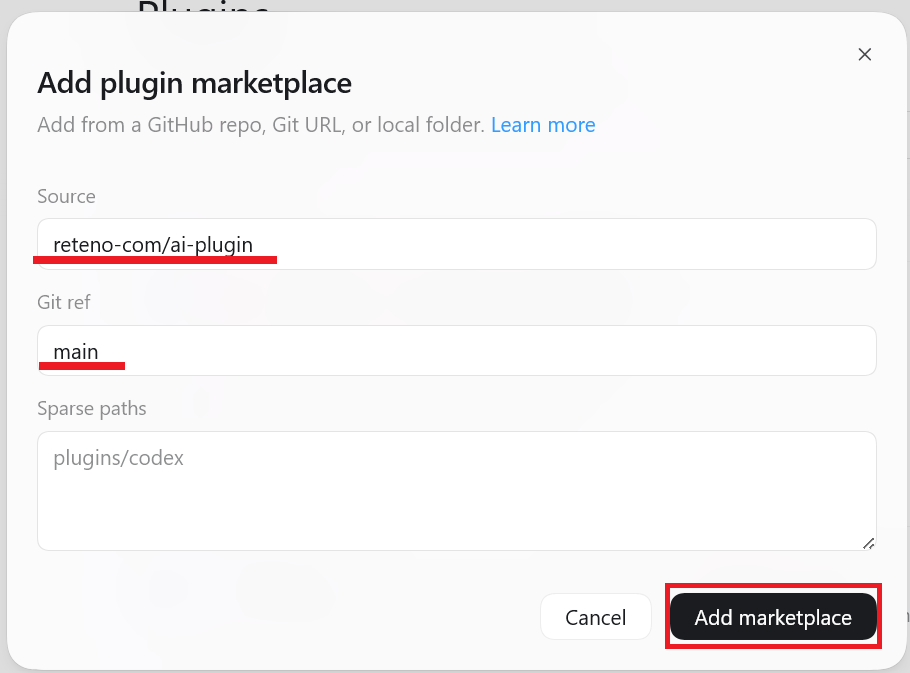
Codex displays a confirmation that the reteno-plugins marketplace was added. The marketplace uses the Reteno AI Plugin repository.
NoteCodex uses Git to add the marketplace. If Codex shows a
program not founderror while adding it, install Git and restart Codex. On Windows, restart your computer if Codex still does not detect Git.
Step 2. Install the Reteno Plugin
After adding the marketplace, Codex keeps you on the By OpenAI tab.
- In Plugins, switch to the Personal tab.
- Find the Reteno Plugins section.
- Click Install next to Reteno.
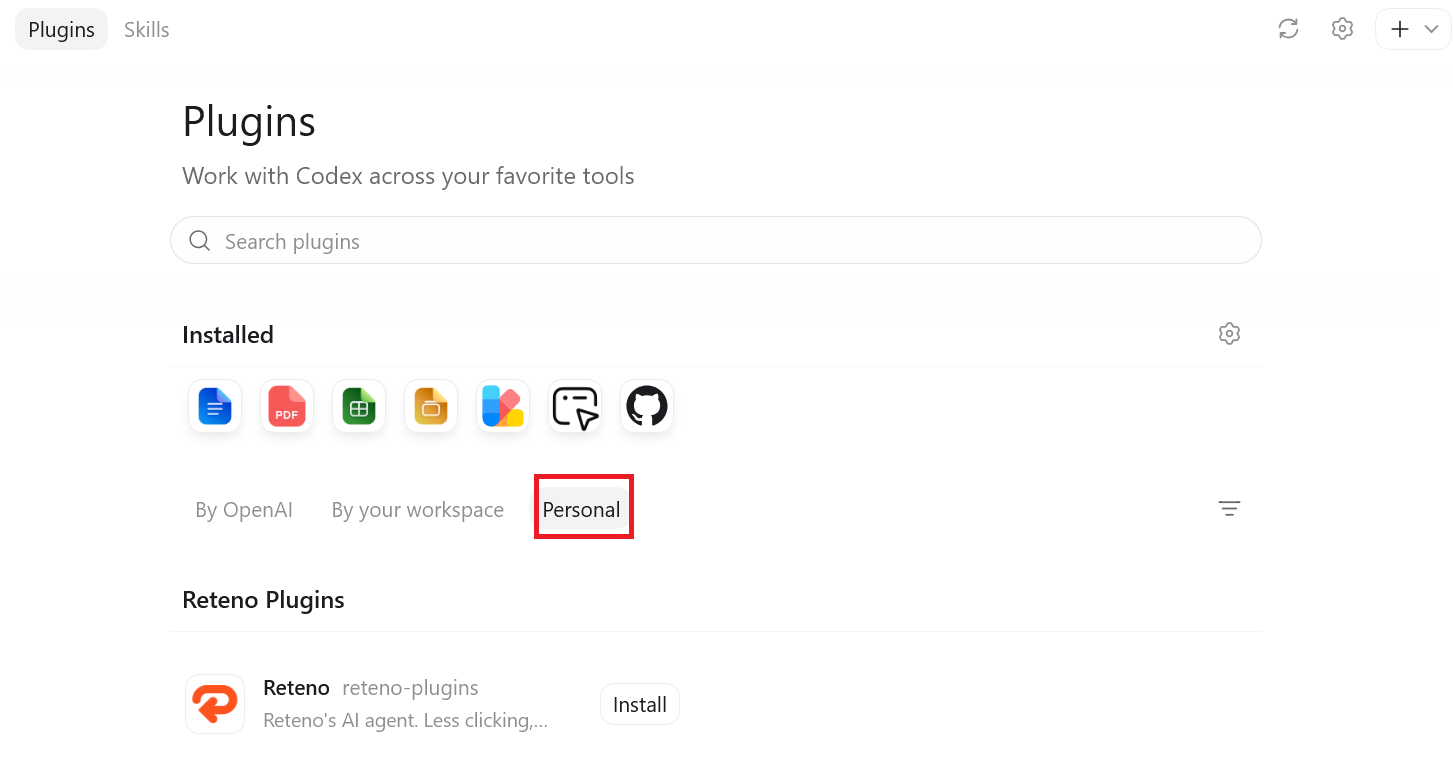
Codex installs the Reteno plugin, including its skills and MCP connection.
Step 3. Authenticate With Reteno
When Codex prompts you to connect Reteno, complete the authorization in your browser:
- Sign in to your Reteno account.
- Confirm access.
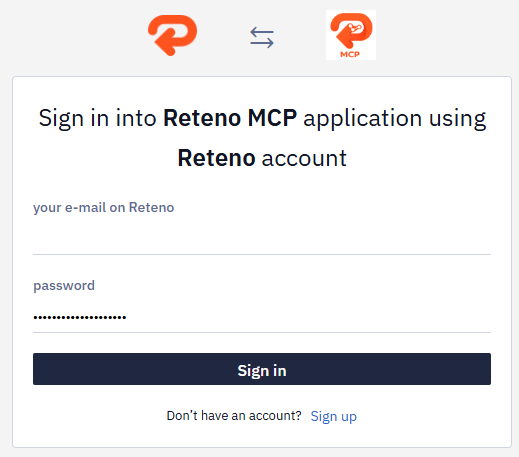
- When the Authorization complete page appears, close the browser tab and return to Codex.
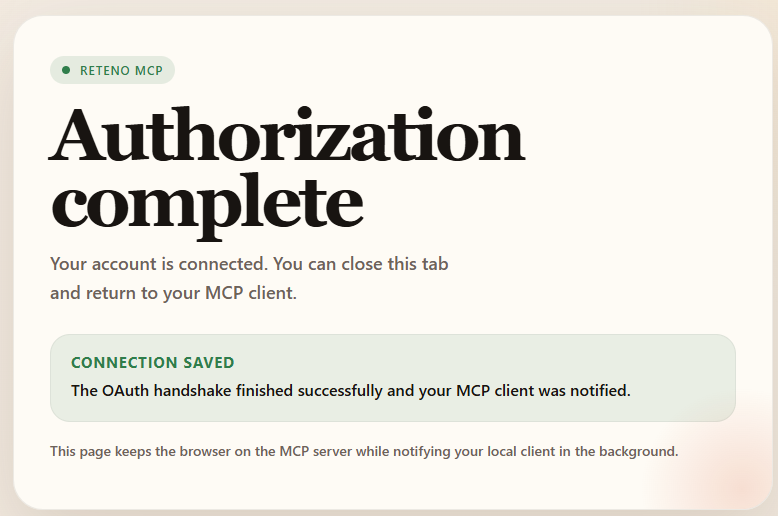
The authentication prompt may appear during installation or when you first ask Codex to use Reteno.
NoteIf Codex was open during installation or authentication, restart the app and start a new chat so the Reteno tools are loaded in the new session.
Verify the Connection
Start a new chat and ask:
- Use the Reteno MCP tools to show me my last 5 email messages.
If Codex returns email messages from your Reteno account, the plugin is ready to use.
Codex approval settings still apply to plugin actions. Depending on your settings, Codex may ask for confirmation before using a tool that reads or changes data in your Reteno account.
What to Do Next
Once the plugin is connected, describe the Reteno task you want to complete in plain language. For example:
- Show me the Open and Click metrics for all workflows last month.
- What is workflow ID 434661 about? Describe its structure.
- Translate email template ID 3935987 into German.
For more examples, see Integrating Reteno with AI Agents.
Updated 21 days ago