
What’s New for April
In April, Reteno continued developing the platform's functionality by adding new features for more flexible widget management, improving contact management, and enhancing integration settings.
Key Updates
API
Transmission of Multilingual Messages
Adding language versions of your messages via the API saves you time and simplifies the management of multilingual campaigns. You can now create language versions of your messages using the following API resources:
- Add/update translated mobile push message
- Add/update translated app inbox message
- Add/update translated email message
If the language version exists, it will be updated; if not, it will be created.
Use the Update base message resources group to update the default message’s language.
Millisecond Support in Mobile API
To ensure that the mobile event sequence is displayed correctly, we have added support for milliseconds in the occurred field of the Generate events v1 resource:
(YYYY-MM-DDTHH:mm:ss.SSSZ).
Milliseconds are displayed in SDK versions starting with iOS SDK 2.5.1/Android SDK 2.6.0.
Improved Objects Handling in Event Parameters
Previously, events sent by the Generate event v2 method could only pass one data array. The name of this array had to be specified in the settings of the workflow block that extracts information from the event, in the JSON field.
Now you can pass an unlimited number of arrays in events, for example, viewedItems and recommendedItems.
{
  "eventTypeKey": "AbandonedCart",
  "keyValue": "2424925572",
  "params": [
    {
      "name": "cartItems",
      "value": [
        {
          "name": "Conditioner for dry hair",
          "price": "341",
          "url": "https://site.com/conditioner-dry-hair",
          "imageurl": "https://site.com/uploads/product/big/20161122/20161122_7zvb.jpg",
          "brand": "Le Petit Olivier",
          "tags_weight": "200",
          "tags_oldprice": "467"
        },
        {
          "name": "Magnolia Nobile Perfumed water",
          "price": "2341",
          "url": "https://site.com/catalog/perfumed-water-2-750-g",
          "imageurl": "https://site.com/uploads/product/big/20161122/20161122_7zvb.jpg",
          "brand": "Acqua Di Parma",
          "tags_weight": "100",
          "tags_oldprice": "4467"
        }
      ]
    },
    {
      "name": "recommendedItems",
      "value": [
        {
          "name": "Shampoo for dry hair",
          "price": "441",
          "url": "https://site.com/shampoo-dry-hair",
          "imageurl": "https://site.com/uploads/product/big/20161122/20161122_7zvb.jpg",
          "brand": "Le Petit Olivier",
          "tags_weight": "200",
          "tags_oldprice": "467"
        },
        {
          "name": "Magnolia Nobile Face cream",
          "price": "1341",
          "url": "https://site.com/catalog/face-cream-2-750-g",
          "imageurl": "https://site.com/uploads/product/big/20161122/20161122_7zvb.jpg",
          "brand": "Acqua Di Parma",
          "tags_weight": "100",
          "tags_oldprice": "4467"
        }
      ]
    },
    {
      "name": "emailAddress",
      "value": "[email protected]"
    }
  ]
}
When working with such events, you no longer need to specify the array name in the workflow — to use dynamic content, just specify the name of the array in the message. For more information about the updated functionality of the Generate event v2 method, follow the link.
Account Management
New Tags Section
A new Tags section has appeared in the account settings, which will help to better organize work with contacts and communications. Tags are divided into two types:
- Communication tags are used in messages, reports, and workflows.
- Segment tags are applied to contacts’ segments.
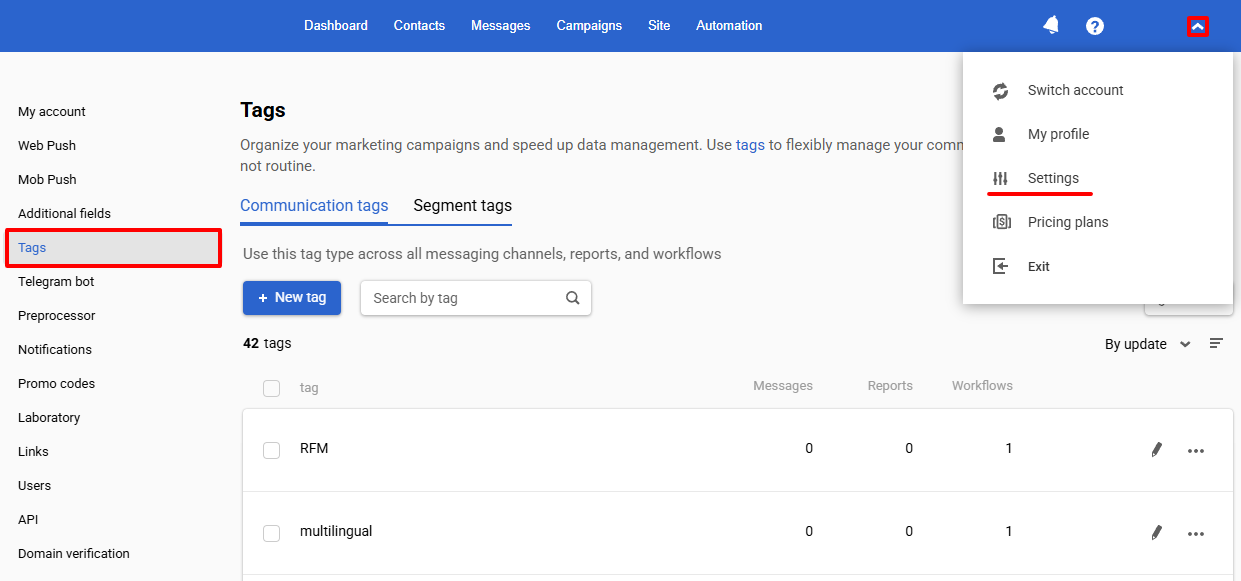
For each tag type, the following features are available:
- View the total number of tags and the complete list.
- Create, edit, and delete tags.
- Bulk delete tags.
- Filter tags by usage.
- Search tags by name.
- Sort tags by name or frequency of use.
- View usage statistics — see how many objects each tag is applied to.
This update simplifies the management of large data volumes and helps maintain structure when working with your audience.
Webhook Settings
We’ve moved the Webhooks section from the Laboratory to the Data export tab.
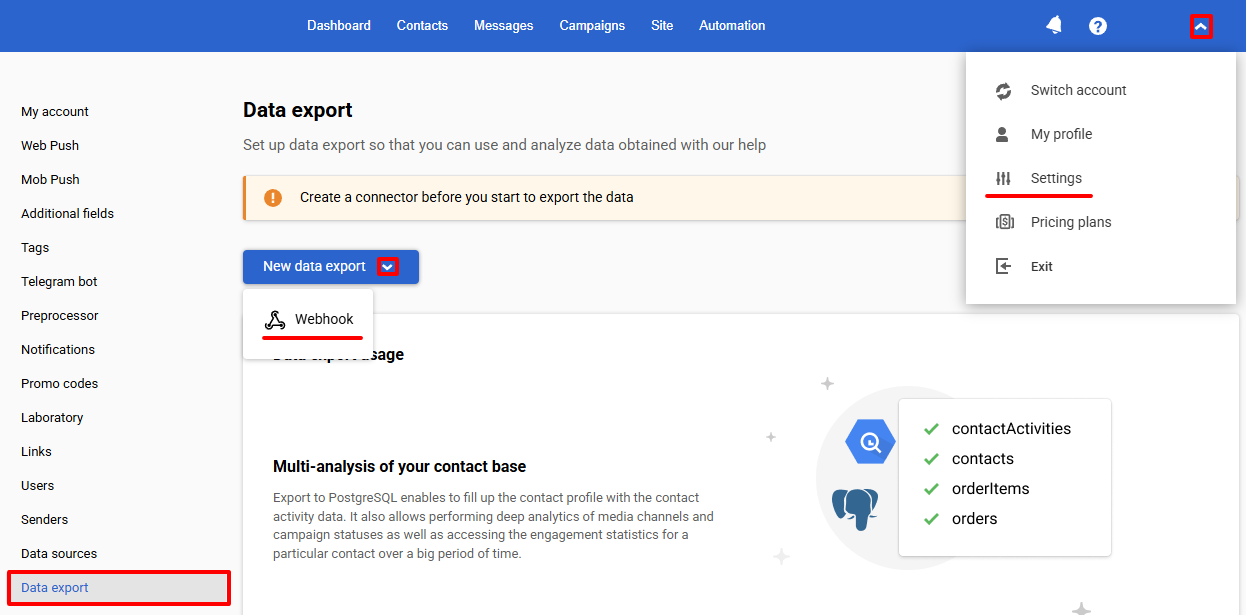
Now you can manually configure:
- The list of statuses to be transferred.
- Authentication for the receiving server.
Other Updates
Expanding Contact Activity Information
Webhooks
Using webhooks, you can get the names of Email, SMS senders (the from field). This option can be helpful for organizations that use multiple senders and want to analyze contact responses to different campaign types.
Get Contacts Activity API Method
To simplify the analytics of contact activity, we have added the following fields to the query response:
- messageName — message name (for all media types);
- from — sender information (Email, SMS).
Export to BigQuery
The iid field has appeared in the contactActivities export to display Email and SMS sender names.
More on integrations with
Widgets
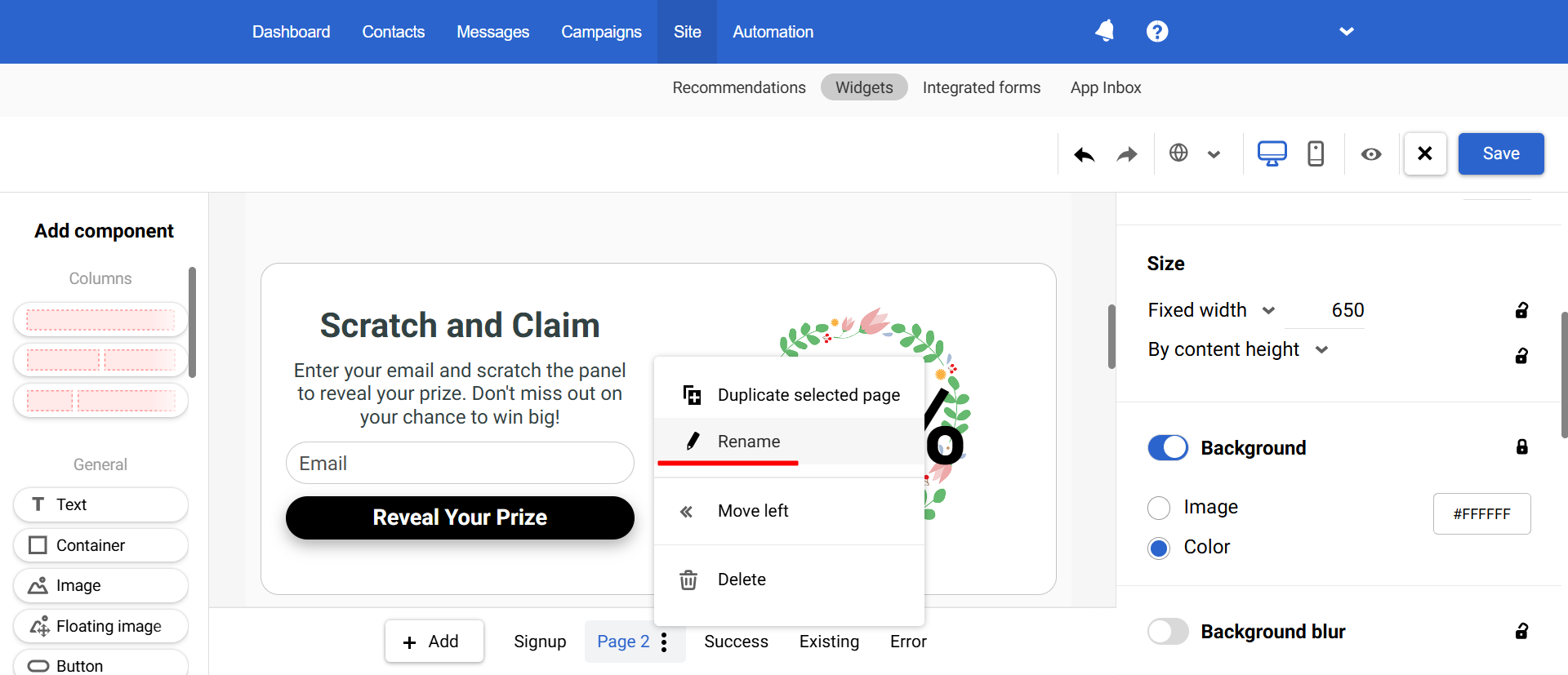
Changing Widget Page Names
To ensure more convenient widget use, now we provide the ability to give each widget page its name (except for system ones, such as Signup, Success, Existing, and Error).
Displaying the ID of Linked Messages
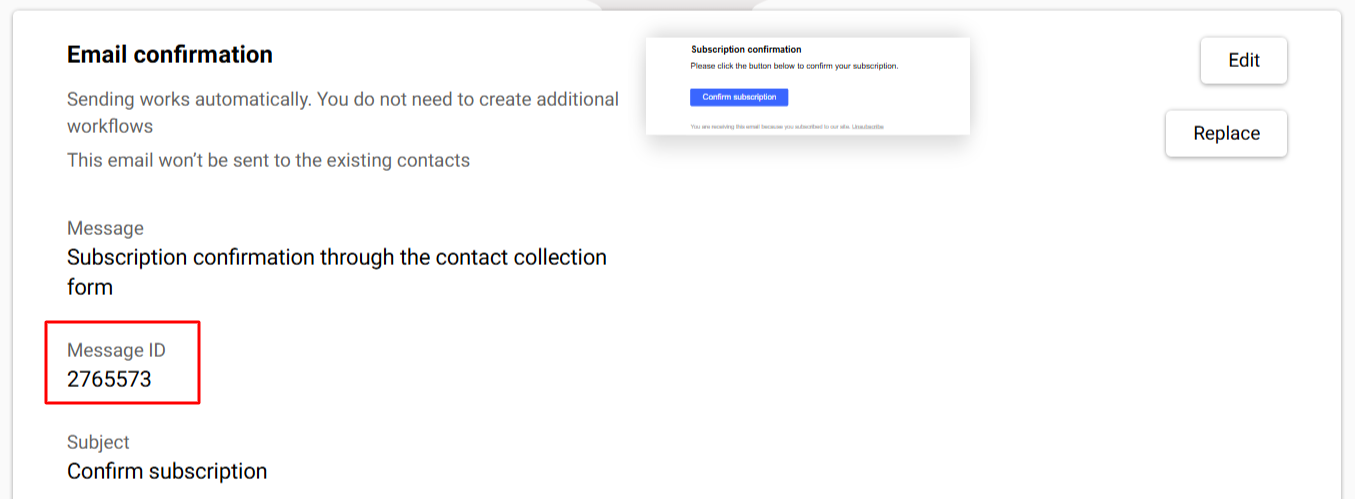
To quickly identify messages used in actions after subscription in the Subscription form and Request form widgets, message IDs are now displayed:
- Email confirmation
- Welcome email
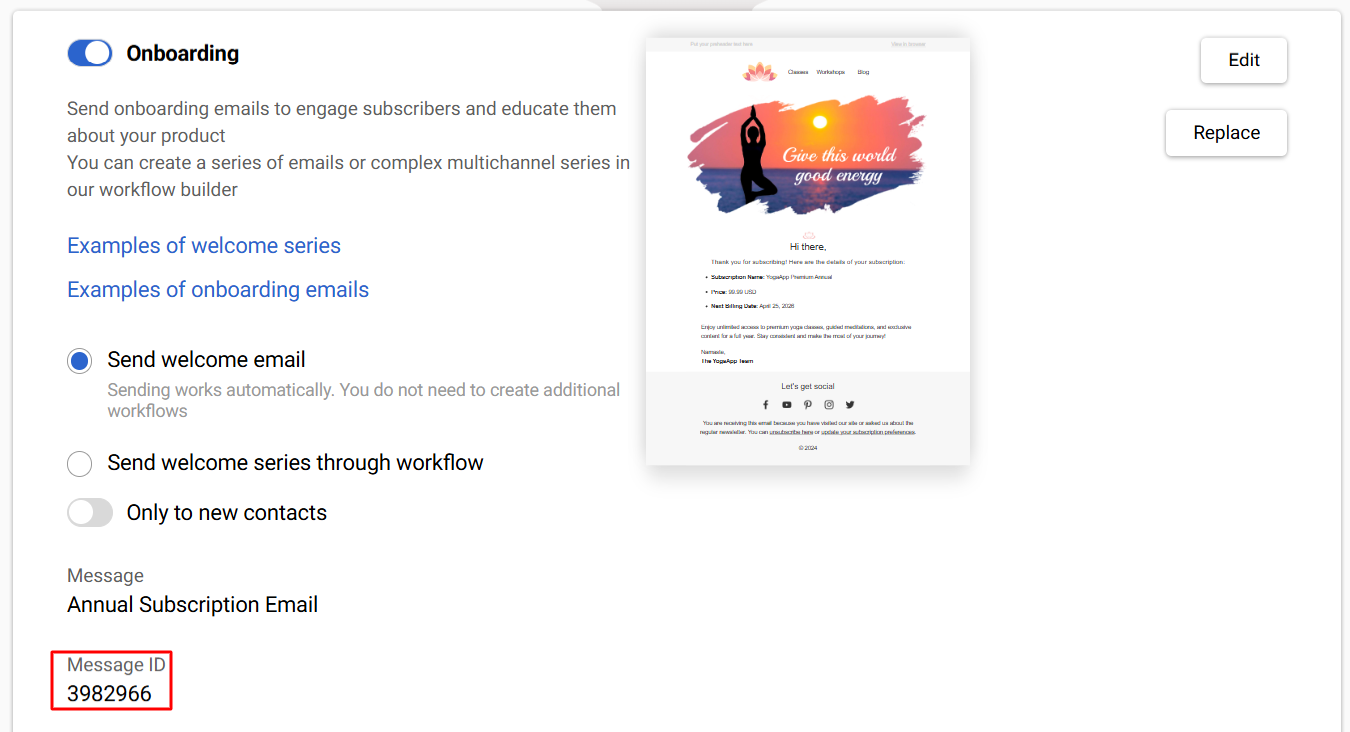
Setting actions after subscription >
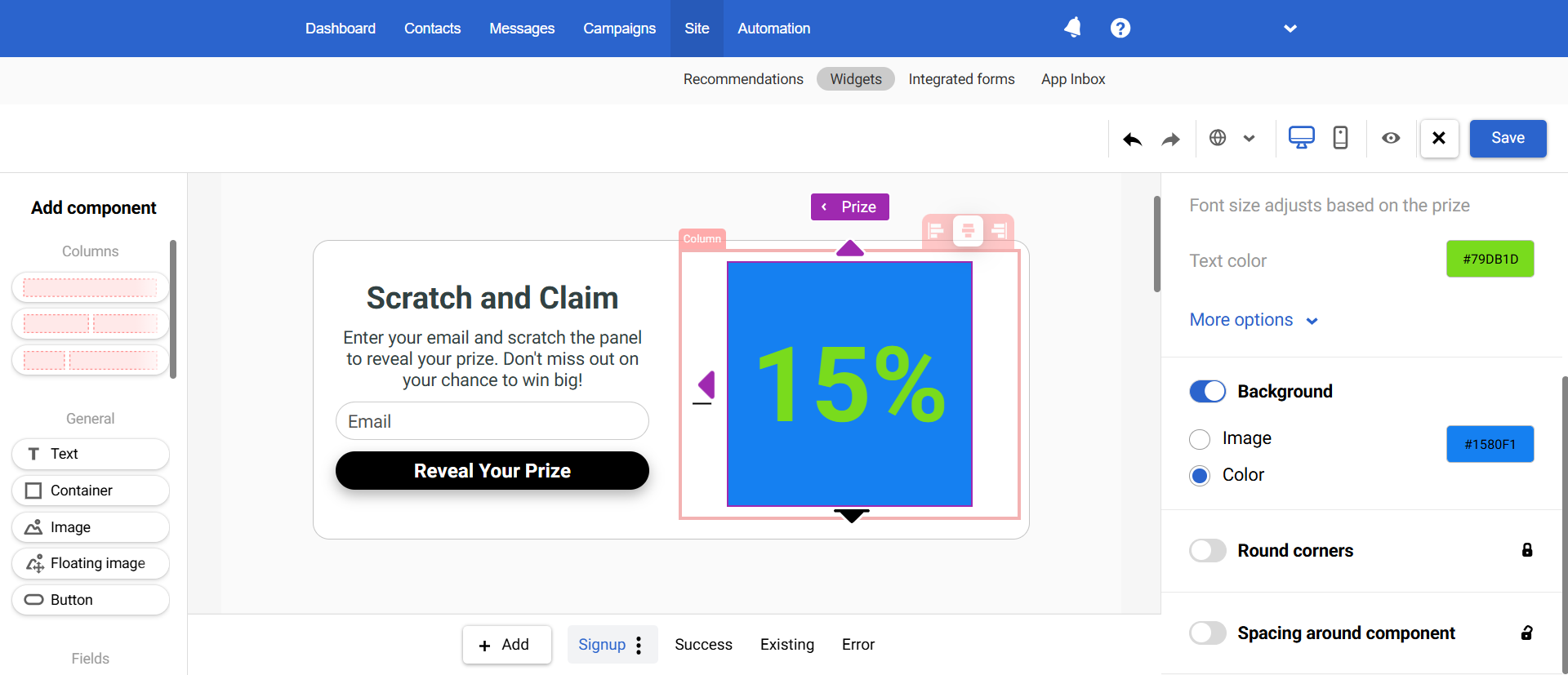
Prize Style
You can now change the background and text styles for the prize in the game widget to make them more attractive to users and increase engagement.
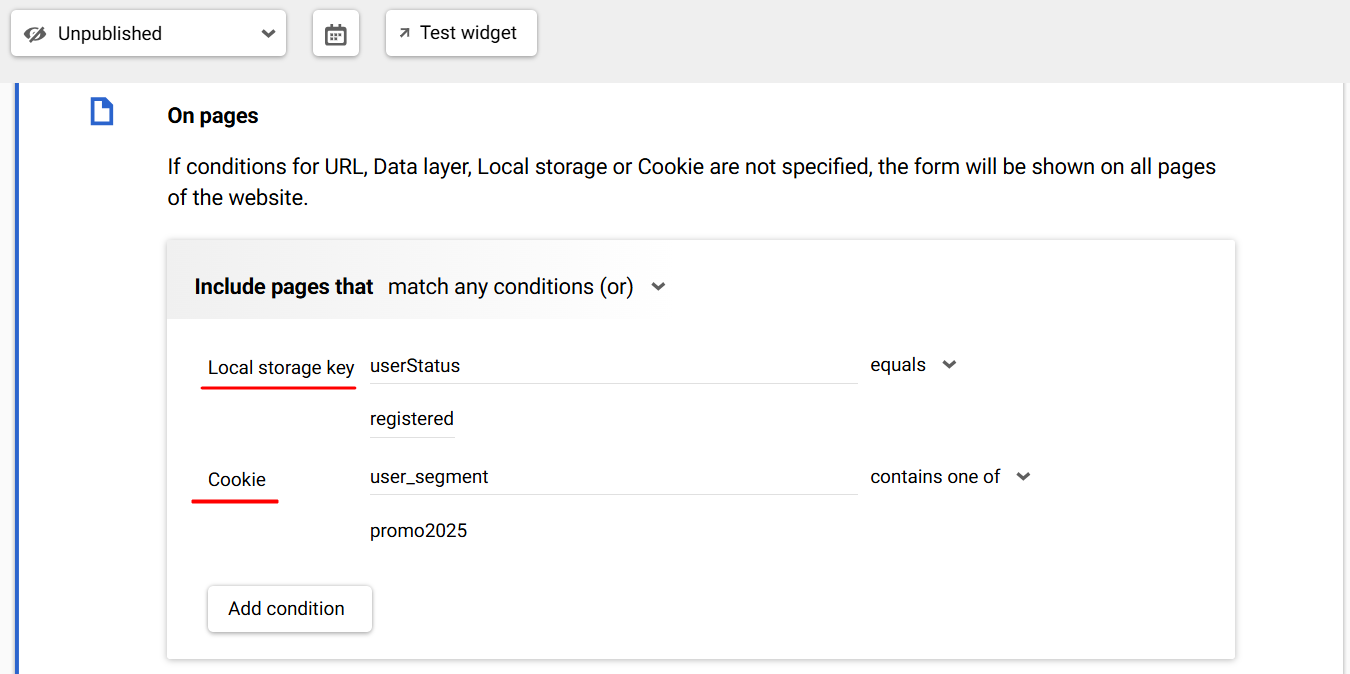
New Widget Display Rules
Local storage key and Cookie
Now, you can configure the widget's display based on the values stored in the user's browser's local storage or cookies. For example:
- You can configure the widget to be visible only to registered visitors if the userStatus = registered key is stored.
- You can target only users with a value stored in the user_segment cookie containing promo2025.
Data layer is set
Now, the new condition Is set for events in the Data Layer is available in widget display rules.
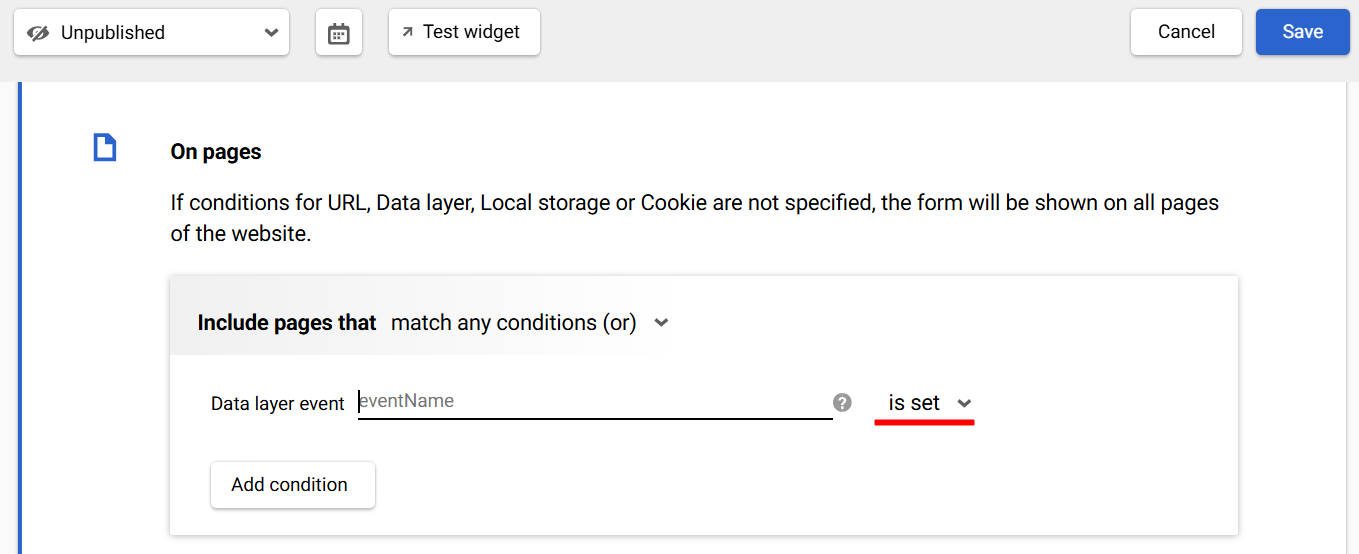
This condition allows you to check the event's presence in the Data layer without considering its parameters, simplifying display settings and making rules even more flexible.
To returning visitors
Under the new condition, the widget can be displayed starting from the user's second session. The option will be useful, for example, if you want to increase or change the initial bonus upon a return visit.
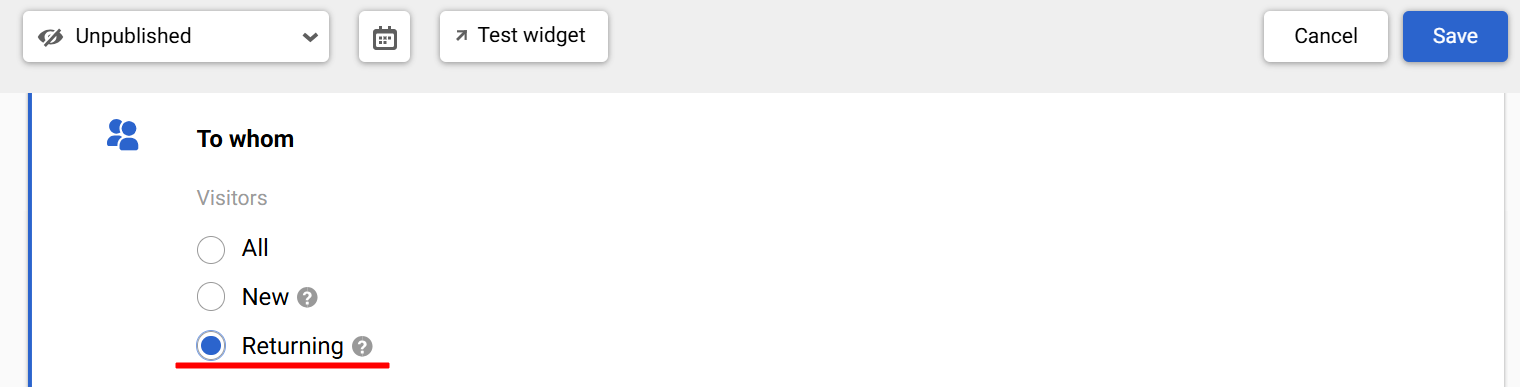
New Returning condition for the widget display
Email
Editor Updates
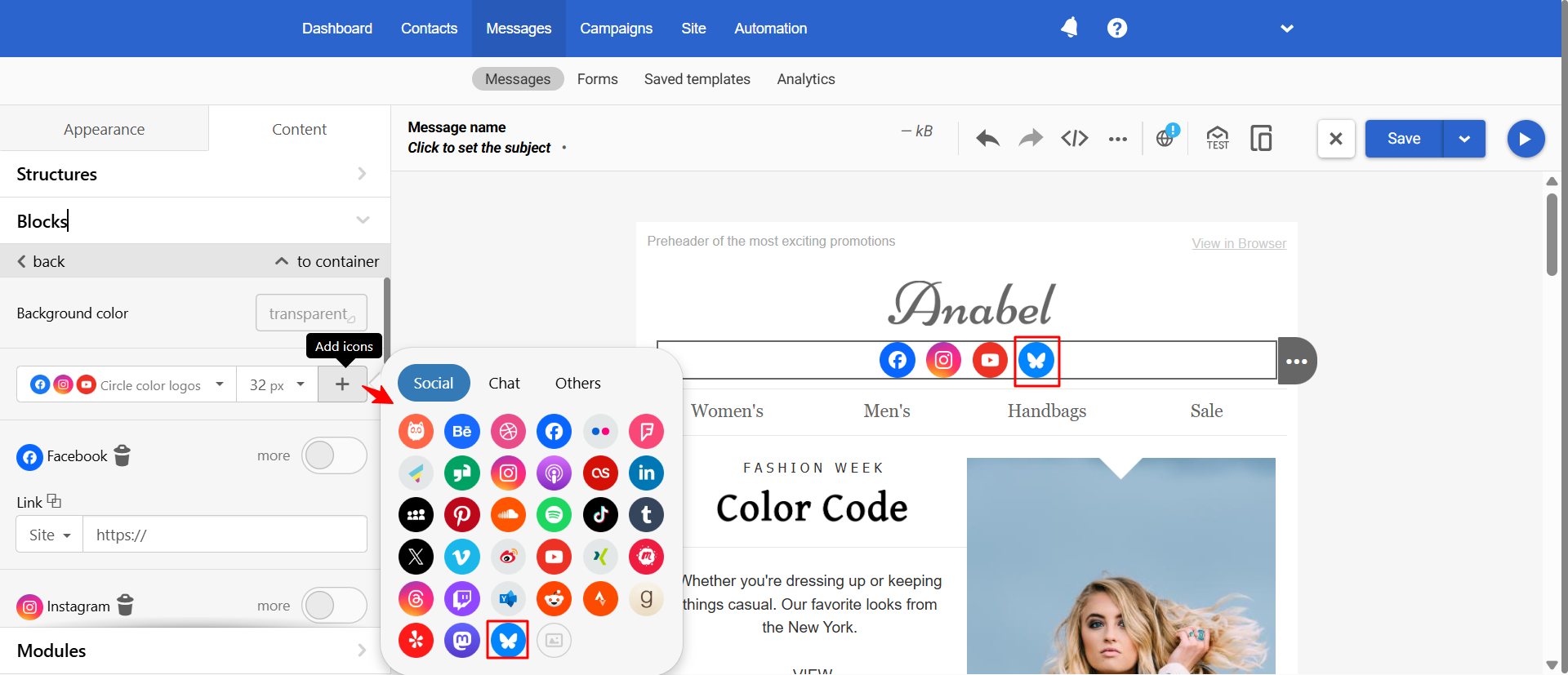
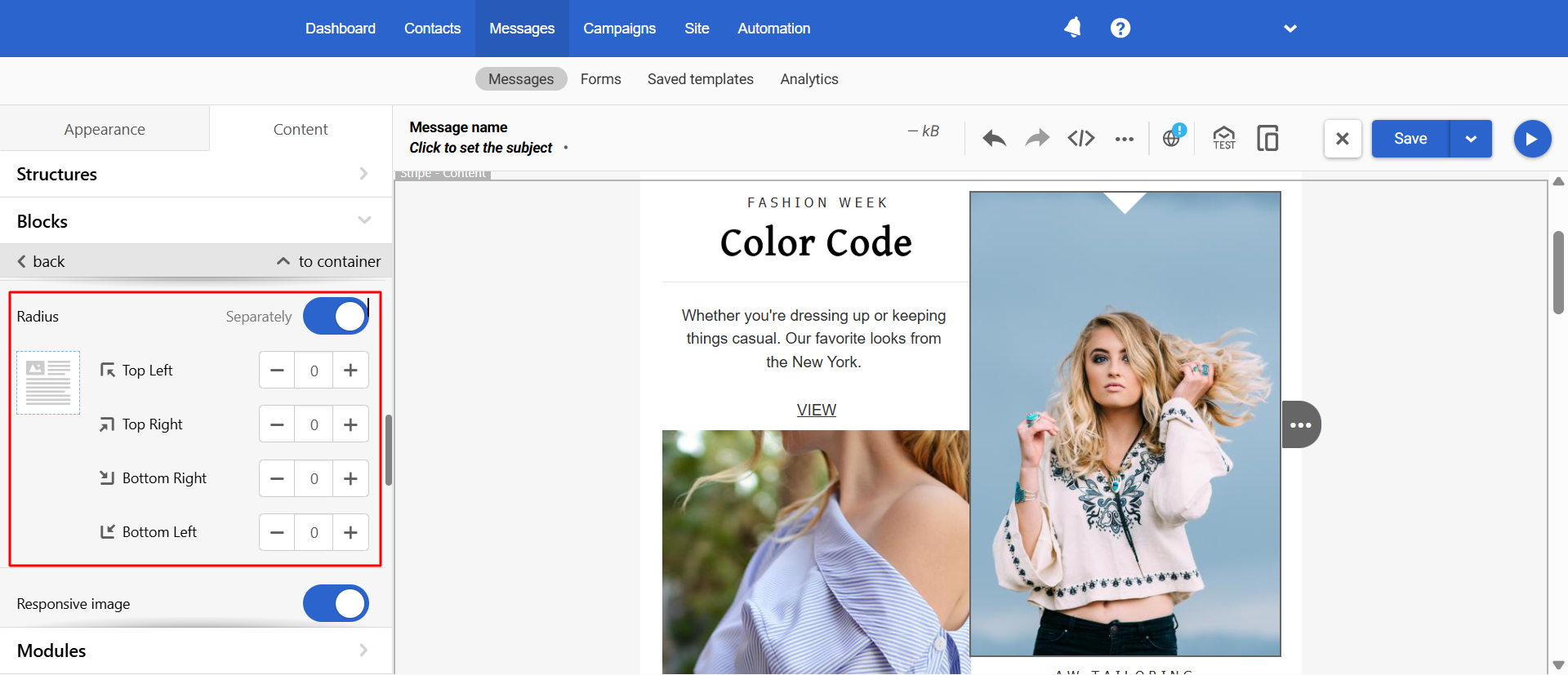
Now, when creating an email message, you can use:
- BlueSky social media icon — an alternative to Twitter/X
- The Radius function for images, which allows you to change this parameter for each corner separately (similar to the corresponding option in modules and blocks)
SMS
New Providers
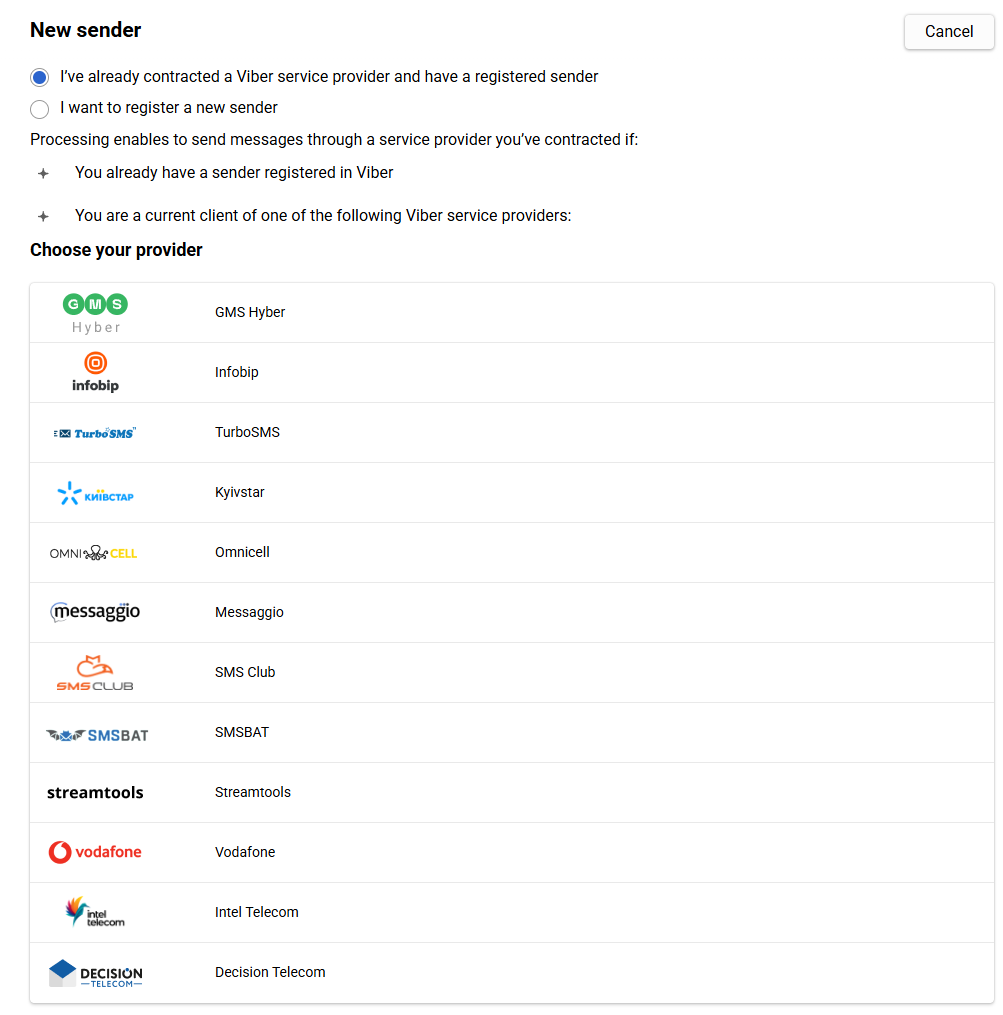
We’ve added integration with new providers:
- PROCONTEXT — for SMS mailings to Moldovan numbers,
- Decision Telecom — for SMS mailings in over 190 countries around the world.
Workflows
Advanced Workflow Testing Capabilities
Now you can test the workflow (launch one time) for both a specific contact and by event parameters.

Thanks to the improvements in working with objects in event parameters described above, it is no longer necessary to write custom parameters for each workflow block where they are used.
Data Sources
New Option in Data Source Rules
Now, in the recommendations’ rules setting, you can set a relative range for the Price parameter — specify the cost limits relative to the price of a specific product the customer is viewing or to which the recommendation is linked.
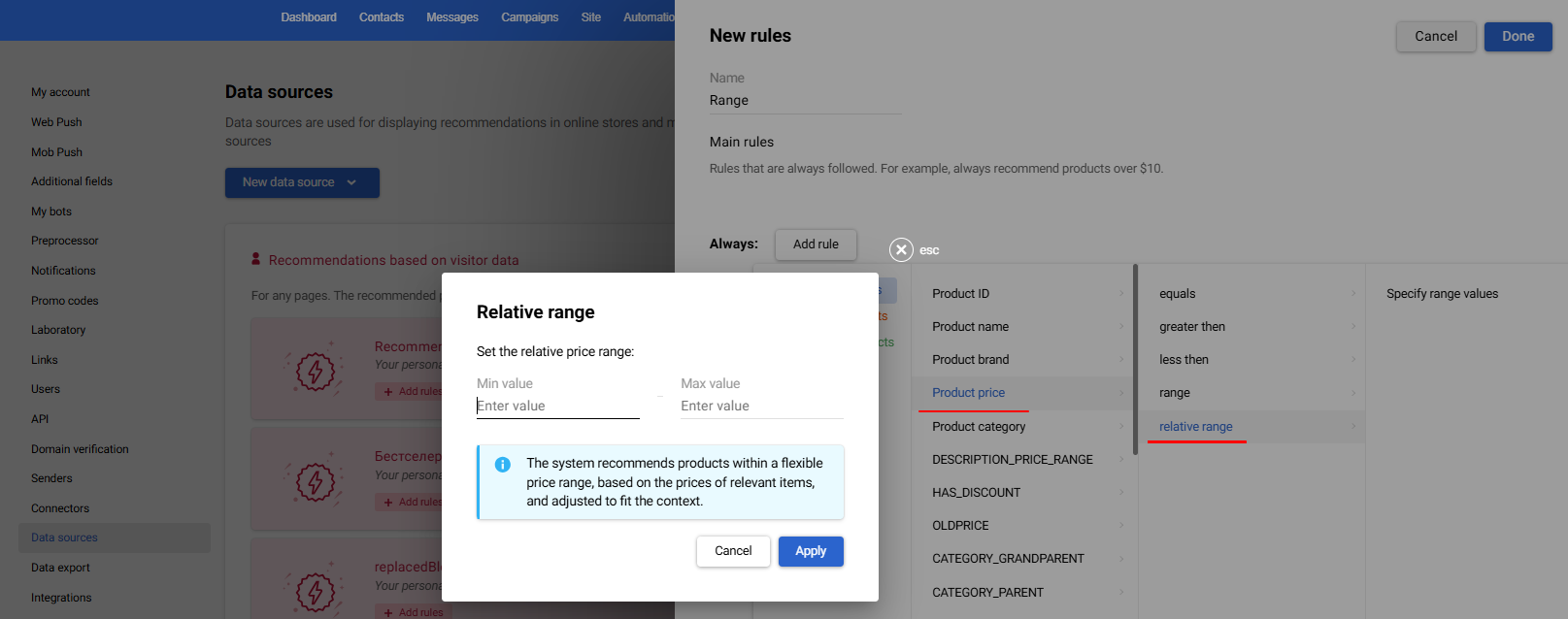
For example, if you set the range from 70% to 300%, and the user is viewing a product for $1000, the system will select products from $700 to $3000.
This allows you to:
- More precisely manage the relevance of recommendations
- Avoid products that do not meet the expected budget
- Improve conversion thanks to flexible selection logic
Updated 3 months ago