
Billing Notifications
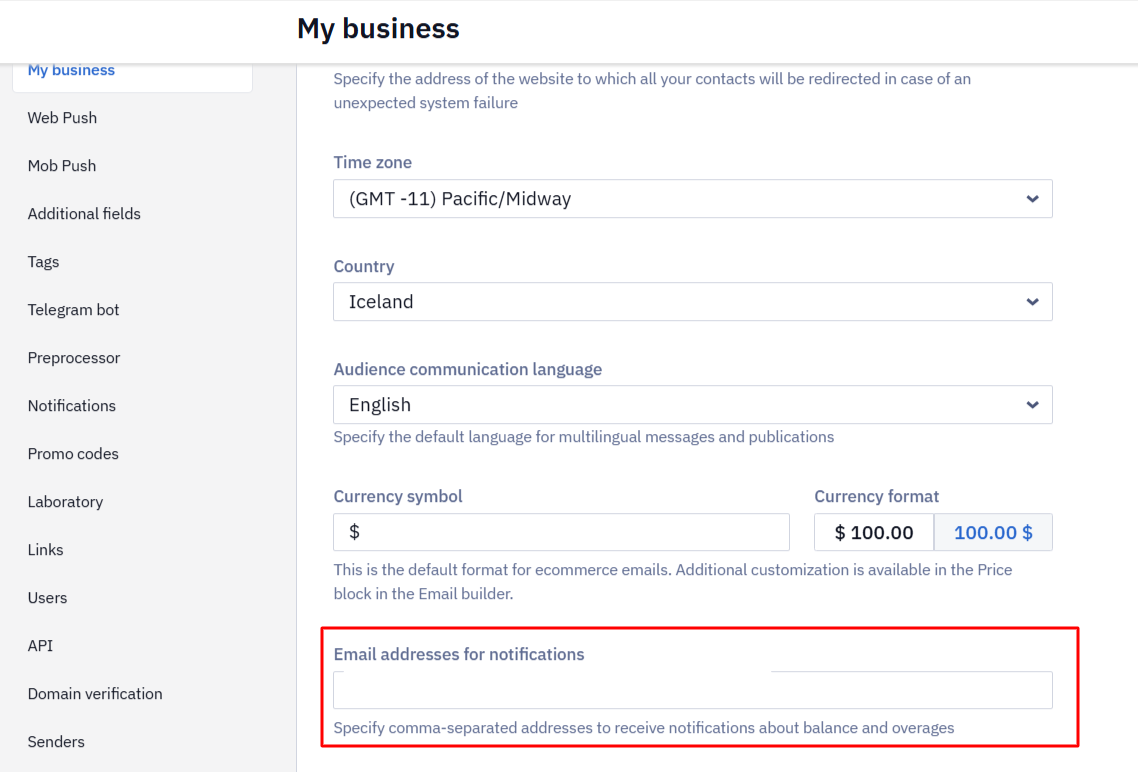
You can specify the email addresses that receive notifications about balance and overages in the account settings → My business tab, in the Email addresses for notifications field. Enter the addresses separated by commas and click Save.
These addresses also receive technical warnings — for example, about a webhook being unavailable. When the field is empty, such emails go to every user in the organization with the Admin role.
Contact Limit Warning
When the number of contacts in your base approaches your plan limit, you receive a warning email so you can change your plan or clean up the base in advance.
Contact counts in the interface are updated once a day, so after you delete contacts the warning can keep appearing until the next recalculation. See Using the All Contacts Tab.
Message Limit Warning
When you have used 80% and then 100% of the daily or monthly message volume included in your subscription, the system warns you on the home page, when you launch a broadcast, and when you activate a workflow that uses that channel.
Warning emails are sent at 80% and 100% of the monthly volume and at 100% of the daily one. They go to the addresses set in the Email addresses for notifications field.
Updated 2 days ago