
What's New for March
This month’s headline update is Reteno AI Agents, with the recommended way to use them through Slack — so your whole team can pull data, review performance, and make changes in Reteno through natural language, without switching tools.
You can review the February updates here; the latest SDK versions are available in this section.
Reteno AI Agents in Slack (research preview)
Reteno AI Agents connect directly to your Reteno account and let you manage templates, contacts, segments, events, and analytics through natural language. The recommended way to work with the agent is Slack: your team gets a dedicated channel where anyone can ask the agent to pull data, make changes, or analyze performance — and every action stays visible in the thread.
Why Slack feels “effortless”
- No setup on your side: access takes two steps — contact the Reteno team, then get invited to a dedicated Slack channel. Once you’re in, mention @Reteno to start.
- Works where the team already collaborates: the same thread becomes the single place for questions, answers, and decisions — no “which report is the latest?” moments.
- Agent understands your account context: it operates in a persistent workspace linked to your organization, so you don’t need to re-explain basics every time.
What teams commonly do with it (examples)
- Troubleshoot fast: ask about deliverability drops, spikes in bounces/spam/unsubscribes, or why a specific contact isn’t receiving messages.
- Localize email templates: request a new language variant or translate subject/preheader directly in the thread.
- Run quick performance reviews: pull Send/Deliver/Open/Click metrics across workflows before a meeting, or ask for top performers.
Learn more: Integrating Reteno with AI Agents
New Velocity Format in Message Editors
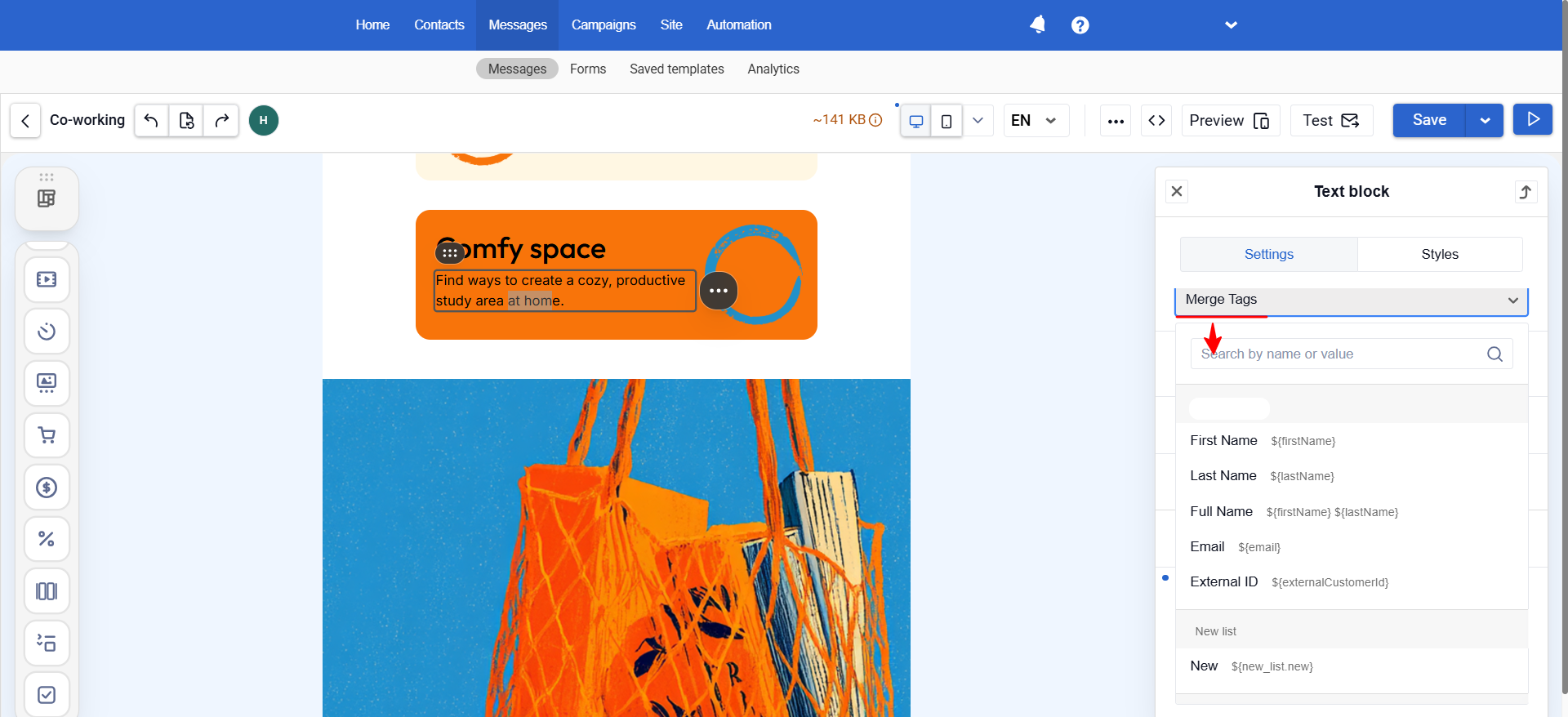
The personalization context menu in message editors has been updated: variables are now inserted in a simplified format.
Previously, inserting data required the format $data.get('firstName') — verbose, and one misplaced bracket or quote was enough to break the template. The new syntax is shorter and easier to read.
What changed:
- Variables are inserted in the
${key}format. A fallback value can be added directly in the same variable:${key|'altValue'}— if the field is empty, the specified value will be substituted instead of a blank space in the message. - Standard contact fields follow lower camelCase:
${firstName},${externalCustomerId}. - Custom fields are fully lowercase:
${personal.age}.
The old syntax is still supported — existing templates will continue to work without changes.
Widgets
New Gamified Component: Break the Egg
Just in time for Easter, we added a new interactive component: a visitor "breaks" an egg and receives a prize.

Gamified widgets tend to increase engagement: people are more likely to interact when there's an element of play and anticipation. This helps drive users toward a target action — subscribing, claiming a promo code, adding an item to cart, or completing a purchase.
Personalization from Browser Data
The widget editor now supports values from Local Storage and Cookie as substitution variables in text.
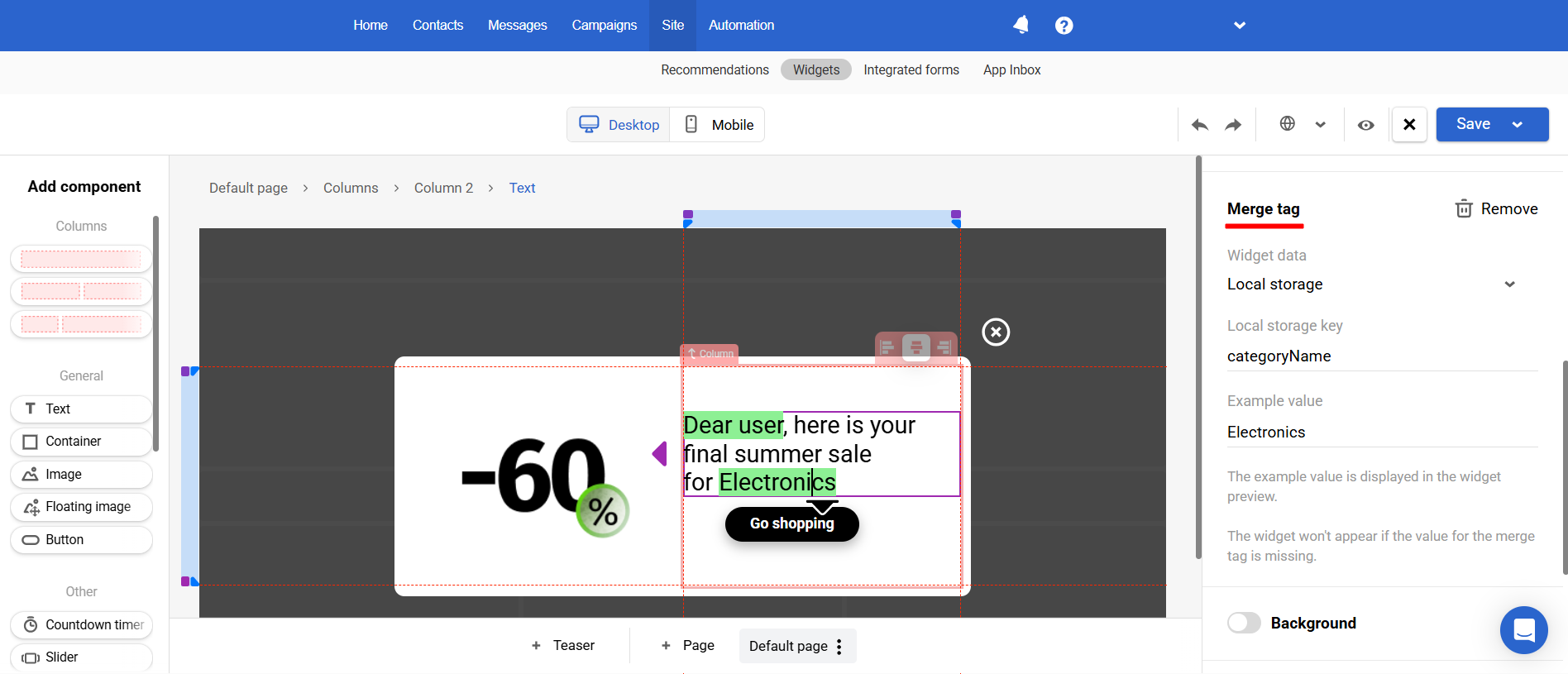
Local Storage and Cookie are browser-side storage mechanisms where a website can retain data between visits — for example, a name entered during registration or a product category the user browsed.
This data can now be pulled into a widget automatically. For example, if Local Storage contains categoryName = Electronics and Cookie contains userName = John, the visitor will see:
Hi, John! Check out the latest in Electronics
This makes the widget feel personalized without asking the user for additional input — and can increase the likelihood of a click or form submission.
Full-Screen Request Forms
A new display format has been added — Full Screen: it overlays the entire page until the user closes it or completes the target action.
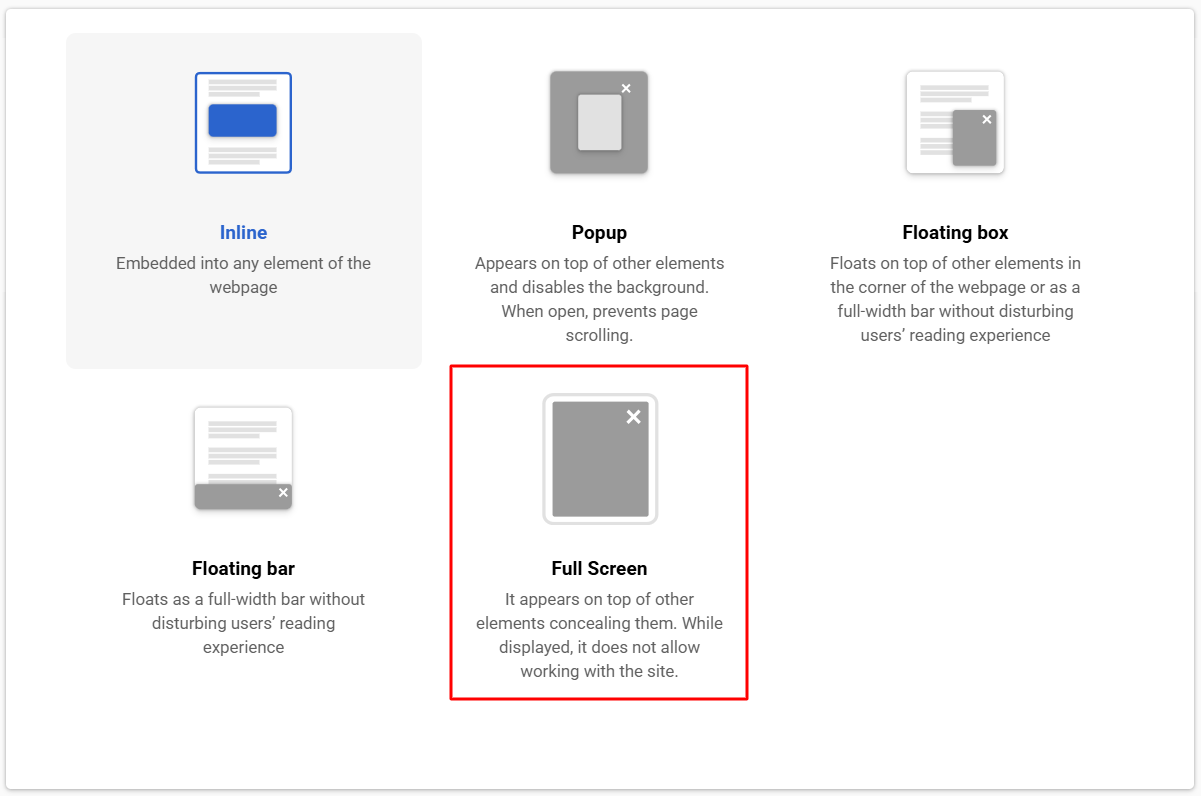
This format works well for important announcements, time-limited promotions, or data collection forms that require the user's full attention.
Other Updates
Extended Analytics on the Home Page
The home page analytics dashboard now supports sorting workflows and campaigns by key metrics such as Open Rate, Delivery Rate, and more.
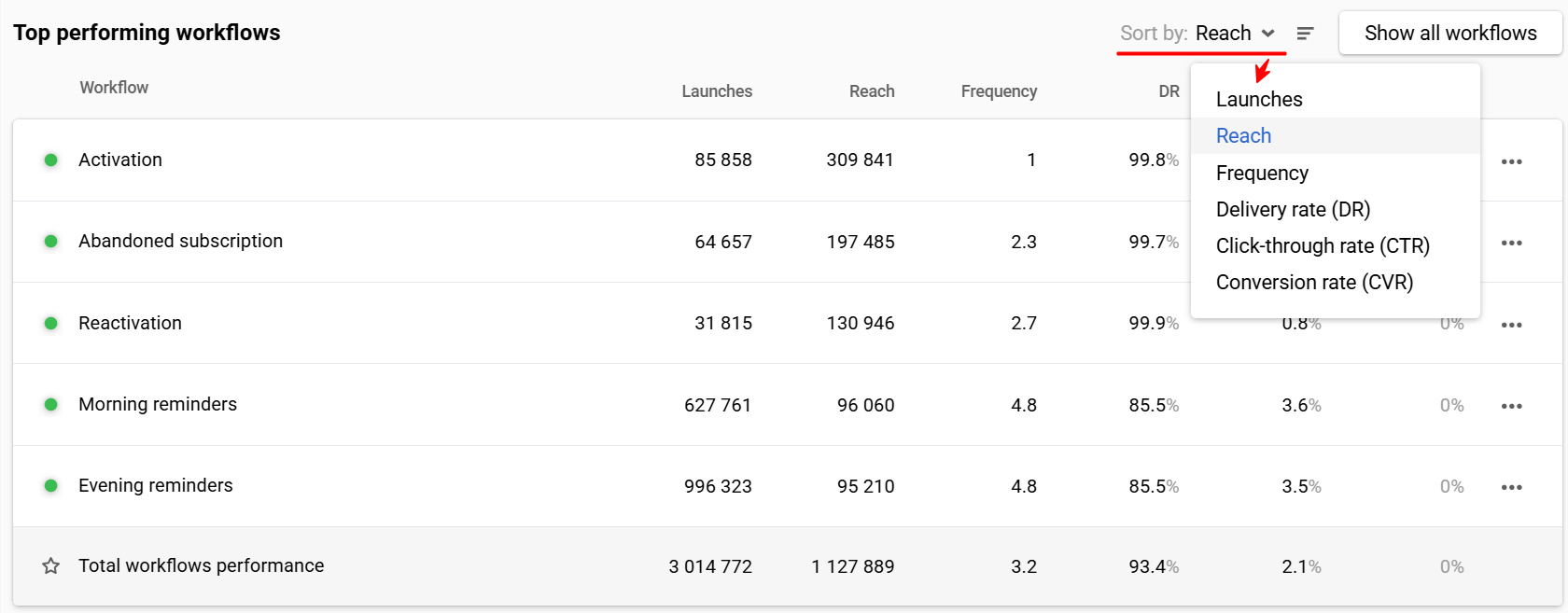
Find your top-performing campaigns in one click — no more scrolling through the entire list.
New Fields in Get Contacts Activity
The fields osType and osName have been added to the Get contacts activity resource response.
You can now see which operating system a contact interaction came from — useful for reporting in external analytics systems and for segmentation (for example, separate segments for iOS and Android).
Delete Events: Time-Precise Deletion
The Delete events resource now accepts time in UTC, not just a date.
This allows you to delete a specific time range — for example, only test events generated between 2:00 PM and 3:00 PM — without affecting the rest of the day's data.
Data Sources: OAuth 2.0 Support
A new authentication type has been added to data source settings — OAuth 2.0.
OAuth 2.0 is a standard authorization protocol that allows you to connect external services securely, without passing a login and password. It is now available as a dedicated authentication option when connecting external data sources via HTTP request.
Updated 3 months ago